Also available in markdown at /docs.md
Guide
Getting Started
Datastar simplifies frontend development, allowing you to build backend-driven, interactive UIs using a hypermedia-first approach that extends and enhances HTML.
Datastar provides backend reactivity like htmx and frontend reactivity like Alpine.js in a lightweight frontend framework that doesn’t require any npm packages or other dependencies. It provides two primary functions:
- Modify the DOM and state by sending events from your backend.
- Build reactivity into your frontend using standard
data-*HTML attributes.
Installation #
The quickest way to use Datastar is to include it using a script tag that fetches it from a CDN.
1<script type="module" src="https://cdn.jsdelivr.net/gh/starfederation/[email protected]/bundles/datastar.js"></script>Hosting the file yourself is recommended. Download the script or create your own bundle using the bundler, then include it from the appropriate path.
1<script type="module" src="/path/to/datastar.js"></script>Rocket is available in the separate datastar-rocket.js bundle. This bundle includes Datastar and Rocket, so use it instead of datastar.js when building Rocket components.
1<script type="module" src="/path/to/datastar-rocket.js"></script>To import Datastar using a package manager such as npm, Deno, or Bun, you can use an import statement.
1// @ts-expect-error (only required for TypeScript projects)
2import 'https://cdn.jsdelivr.net/gh/starfederation/[email protected]/bundles/datastar.js'
data-* #
At the core of Datastar are data-* HTML attributes (hence the name). They allow you to add reactivity to your frontend and interact with your backend in a declarative way.
The Datastar VSCode extension and IntelliJ plugin provide autocomplete, diagnostics, hover documentation, and syntax highlighting.
The data-on attribute can be used to attach an event listener to an element and execute an expression whenever the event is triggered. The value of the attribute is a Datastar expression in which JavaScript can be used.
We’ll explore more data attributes in the next section of the guide.
Patching Elements #
With Datastar, the backend drives the frontend by patching (adding, updating and removing) HTML elements in the DOM.
Datastar receives elements from the backend and manipulates the DOM using a morphing strategy (by default). Morphing ensures that only modified parts of the DOM are updated, and that only data attributes that have changed are reapplied, preserving state and improving performance.
Datastar provides actions for sending requests to the backend. The @get() action sends a GET request to the provided URL using a fetch request.
Actions in Datastar are helper functions that have the syntax @actionName(). Read more about actions in the reference.If the response has a content-type of text/html, the top-level HTML elements will be morphed into the existing DOM based on the element IDs.
We call this a “Patch Elements” event because multiple elements can be patched into the DOM at once.
In the example above, the DOM must contain an element with a hal ID in order for morphing to work. Other patching strategies are available, but morph is the best and simplest choice in most scenarios.
If the response has a content-type of text/event-stream, it can contain zero or more SSE events. The example above can be replicated using a datastar-patch-elements SSE event. Note that SSE events must be followed by two newline characters.
Because we can send as many events as we want in a stream, and because it can be a long-lived connection, we can extend the example above to first send HAL’s response and then, after a few seconds, reset the text.
Here’s the code to generate the SSE events above using the SDKs.
 1;; Import the SDK's api and your adapter
 2(require
 3 '[starfederation.datastar.clojure.api :as d*]
 4 '[starfederation.datastar.clojure.adapter.http-kit :refer [->sse-response on-open]])
 5
 6;; in a ring handler
 7(defn handler [request]
 8  ;; Create an SSE response
 9  (->sse-response request
10                  {on-open
11                   (fn [sse]
12                     ;; Patches elements into the DOM
13                     (d*/patch-elements! sse
14                                         "<div id=\"hal\">I’m sorry, Dave. I’m afraid I can’t do that.</div>")
15                     (Thread/sleep 1000)
16                     (d*/patch-elements! sse
17 "<div id=\"hal\">Waiting for an order...</div>"))})) 1using StarFederation.Datastar.DependencyInjection;
2
3// Adds Datastar as a service
4builder.Services.AddDatastar();
5
6app.MapGet("/", async (IDatastarService datastarService) =>
7{
8 // Patches elements into the DOM.
9 await datastarService.PatchElementsAsync(@"<div id=""hal"">I’m sorry, Dave. I’m afraid I can’t do that.</div>");
10
11 await Task.Delay(TimeSpan.FromSeconds(1));
12
13 await datastarService.PatchElementsAsync(@"<div id=""hal"">Waiting for an order...</div>");
14}); 1import (
2 "github.com/starfederation/datastar-go/datastar"
3 time
4)
5
6// Creates a new `ServerSentEventGenerator` instance.
7sse := datastar.NewSSE(w,r)
8
9// Patches elements into the DOM.
10sse.PatchElements(
11 `<div id="hal">I’m sorry, Dave. I’m afraid I can’t do that.</div>`
12)
13
14time.Sleep(1 * time.Second)
15
16sse.PatchElements(
17 `<div id="hal">Waiting for an order...</div>`
18) 1import starfederation.datastar.utils.ServerSentEventGenerator;
2
3// Creates a new `ServerSentEventGenerator` instance.
4AbstractResponseAdapter responseAdapter = new HttpServletResponseAdapter(response);
5ServerSentEventGenerator generator = new ServerSentEventGenerator(responseAdapter);
6
7// Patches elements into the DOM.
8generator.send(PatchElements.builder()
9 .data("<div id=\"hal\">I’m sorry, Dave. I’m afraid I can’t do that.</div>")
10 .build()
11);
12
13Thread.sleep(1000);
14
15generator.send(PatchElements.builder()
16 .data("<div id=\"hal\">Waiting for an order...</div>")
17 .build()
18); 1use starfederation\datastar\ServerSentEventGenerator;
2
3// Creates a new `ServerSentEventGenerator` instance.
4$sse = new ServerSentEventGenerator();
5
6// Patches elements into the DOM.
7$sse->patchElements(
8 '<div id="hal">I’m sorry, Dave. I’m afraid I can’t do that.</div>'
9);
10
11sleep(1);
12
13$sse->patchElements(
14 '<div id="hal">Waiting for an order...</div>'
15);1from datastar_py import ServerSentEventGenerator as SSE
2from datastar_py.sanic import datastar_response
3
4@app.get('/open-the-bay-doors')
5@datastar_response
6async def open_doors(request):
7 yield SSE.patch_elements('<div id="hal">I’m sorry, Dave. I’m afraid I can’t do that.</div>')
8 await asyncio.sleep(1)
9 yield SSE.patch_elements('<div id="hal">Waiting for an order...</div>') 1require 'datastar'
2
3# Create a Datastar::Dispatcher instance
4
5datastar = Datastar.new(request:, response:)
6
7# In a Rack handler, you can instantiate from the Rack env
8# datastar = Datastar.from_rack_env(env)
9
10# Start a streaming response
11datastar.stream do |sse|
12 # Patches elements into the DOM.
13 sse.patch_elements %(<div id="hal">I’m sorry, Dave. I’m afraid I can’t do that.</div>)
14
15 sleep 1
16
17 sse.patch_elements %(<div id="hal">Waiting for an order...</div>)
18end 1use async_stream::stream;
2use datastar::prelude::*;
3use std::thread;
4use std::time::Duration;
5
6Sse(stream! {
7 // Patches elements into the DOM.
8 yield PatchElements::new("<div id='hal'>I’m sorry, Dave. I’m afraid I can’t do that.</div>").into();
9
10 thread::sleep(Duration::from_secs(1));
11
12 yield PatchElements::new("<div id='hal'>Waiting for an order...</div>").into();
13})1// Creates a new `ServerSentEventGenerator` instance (this also sends required headers)
2ServerSentEventGenerator.stream(req, res, (stream) => {
3 // Patches elements into the DOM.
4 stream.patchElements(`<div id="hal">I’m sorry, Dave. I’m afraid I can’t do that.</div>`);
5
6 setTimeout(() => {
7 stream.patchElements(`<div id="hal">Waiting for an order...</div>`);
8 }, 1000);
9}); 1const datastar = @import("datastar");
2
3// Example of using patchElements
4fn openTheDoorsHal(http: *datastar.HTTPRequest) !void {
5 // Use NewSSESync here for synchronous writes over the SSE connection
6 var sse = try http.NewSSESync();
7 defer sse.close();
8
9 try sse.patchElements(
10 \\<div id="hal">I’m sorry, Dave. I’m afraid I can’t do that.</div>
11 , .{});
12
13 http.io.sleep(.fromSeconds(1), .real) catch {};
14
15 try sse.patchElements(
16 \\<div id="hal">Waiting for an order...</div>
17 , .{});
18}In addition to your browser’s dev tools, the Datastar Inspector can be used to monitor and inspect SSE events received by Datastar.
We’ll cover event streams and SSE events in more detail later in the guide, but as you can see, they are just plain text events with a special syntax, made simpler by the SDKs.
Reactive Signals
In a hypermedia approach, the backend drives state to the frontend and acts as the primary source of truth. It’s up to the backend to determine what actions the user can take next by patching appropriate elements in the DOM.
Sometimes, however, you may need access to frontend state that’s driven by user interactions. Click, input and keydown events are some of the more common user events that you’ll want your frontend to be able to react to.
Datastar uses signals to manage frontend state. You can think of signals as reactive variables that automatically track and propagate changes in and to Datastar expressions. Signals are denoted using the $ prefix.
Data Attributes #
Datastar allows you to add reactivity to your frontend and interact with your backend in a declarative way using custom data-* attributes.
The Datastar VSCode extension and IntelliJ plugin provide autocomplete, diagnostics, hover documentation, and syntax highlighting.
data-bind #
The data-bind attribute sets up two-way data binding on any HTML element that receives user input or selections. These include input, textarea, select, checkbox and radio elements, as well as web components whose value can be made reactive.
1<input data-bind:foo />This creates a new signal that can be called using $foo, and binds it to the element’s value. If either is changed, the other automatically updates.
You can accomplish the same thing passing the signal name as a value. This syntax can be more convenient to use with some templating languages.
1<input data-bind="foo" />According to the HTML spec, all data-* attributes are case-insensitive. When Datastar processes these attributes, hyphenated names are automatically converted to camel case by removing hyphens and uppercasing the letter following each hyphen. For example, data-bind:foo-bar creates a signal named $fooBar.
Read more about attribute casing in the reference.
data-text #
The data-text attribute sets the text content of an element to the value of a signal. The $ prefix is required to denote a signal.
The value of the data-text attribute is a Datastar expression that is evaluated, meaning that we can use JavaScript in it.
data-computed #
The data-computed attribute creates a new signal that is derived from a reactive expression. The computed signal is read-only, and its value is automatically updated when any signals in the expression are updated.
This results in the $repeated signal’s value always being equal to the value of the $fooBar signal repeated twice. Computed signals are useful for memoizing expressions containing other signals.
data-show #
The data-show attribute can be used to show or hide an element based on whether an expression evaluates to true or false.
This results in the button being visible only when the input value is not an empty string. This could also be shortened to data-show="$fooBar".
Since the button is visible until Datastar processes the data-show attribute, it’s a good idea to set its initial style to display: none to prevent a flash of unwanted content.
data-class #
The data-class attribute allows us to add or remove an element’s class based on an expression.
If the expression evaluates to true, the success class is added to the element, otherwise it is removed.
Unlike the data-bind attribute, in which hyphenated names are converted to camel case, the data-class attribute converts the class name to kebab case. For example, data-class:font-bold adds or removes the font-bold class.
The data-class attribute can also be used to add or remove multiple classes from an element using a set of key-value pairs, where the keys represent class names and the values represent expressions.
Note how the font-bold key must be wrapped in quotes because it contains a hyphen.
data-attr #
The data-attr attribute can be used to bind the value of any HTML attribute to an expression.
This results in a disabled attribute being given the value true whenever the input is an empty string.
The data-attr attribute also converts the attribute name to kebab case, since HTML attributes are typically written in kebab case. For example, data-attr:aria-hidden sets the value of the aria-hidden attribute.
1<button data-attr:aria-hidden="$foo">Save</button>The data-attr attribute can also be used to set the values of multiple attributes on an element using a set of key-value pairs, where the keys represent attribute names and the values represent expressions.
1<button data-attr="{disabled: $foo == '', 'aria-hidden': $foo}">Save</button>Note how the aria-hidden key must be wrapped in quotes because it contains a hyphen.
data-signals #
Signals are globally accessible from anywhere in the DOM. So far, we’ve created signals on the fly using data-bind and data-computed. If a signal is used without having been created, it will be created automatically and its value set to an empty string.
Another way to create signals is using the data-signals attribute, which patches (adds, updates or removes) one or more signals into the existing signals.
1<div data-signals:foo-bar="1"></div>Signals can be nested using dot-notation.
1<div data-signals:form.baz="2"></div>Like the data-bind attribute, hyphenated names used with data-signals are automatically converted to camel case by removing hyphens and uppercasing the letter following each hyphen.
The data-signals attribute can also be used to patch multiple signals using a set of key-value pairs, where the keys represent signal names and the values represent expressions. Nested signals can be created using nested objects.
1<div data-signals="{fooBar: 1, form: {baz: 2}}"></div>data-on #
The data-on attribute can be used to attach an event listener to an element and run an expression whenever the event is triggered.
This results in the $foo signal’s value being set to an empty string whenever the button element is clicked. This can be used with any valid event name such as data-on:keydown, data-on:mouseover, etc.
Custom events can also be used. Like the data-class attribute, the data-on attribute converts the event name to kebab case. For example, data-on:custom-event listens for the custom-event event.
These are just some of the attributes available in Datastar. For a complete list, see the attribute reference.
Frontend Reactivity #
Datastar’s data attributes enable declarative signals and expressions, providing a simple yet powerful way to add reactivity to the frontend.
Datastar expressions are strings that are evaluated by Datastar attributes and actions. While they are similar to JavaScript, there are some important differences that are explained in the next section of the guide.
See if you can figure out what the code below does based on what you’ve learned so far, before trying the demo below it.
 1<div
 2    data-signals="{response: '', answer: 'bread'}"
 3    data-computed:correct="$response.toLowerCase() == $answer"
 4>
 5    <div id="question">What do you put in a toaster?</div>
 6    <button data-on:click="$response = prompt('Answer:') ?? ''">BUZZ</button>
 7    <div data-show="$response != ''">
 8        You answered “<span data-text="$response"></span>”.
 9        <span data-show="$correct">That is correct ✅</span>
10        <span data-show="!$correct">
11        The correct answer is “
12        <span data-text="$answer"></span>
13        ” 🤷
14        </span>
15    </div>
16</div>The Datastar Inspector can be used to inspect and filter current signals and view signal patch events in real-time.
Patching Signals #
Remember that in a hypermedia approach, the backend drives state to the frontend. Just like with elements, frontend signals can be patched (added, updated and removed) from the backend using backend actions.
If a response has a content-type of application/json, the signal values are patched into the frontend signals.
We call this a “Patch Signals” event because multiple signals can be patched (using JSON Merge Patch RFC 7396) into the existing signals.
1{"hal": "Affirmative, Dave. I read you."}If the response has a content-type of text/event-stream, it can contain zero or more SSE events. The example above can be replicated using a datastar-patch-signals SSE event.
Because we can send as many events as we want in a stream, and because it can be a long-lived connection, we can extend the example above to first set the hal signal to an “affirmative” response and then, after a second, reset the signal.
Here’s the code to generate the SSE events above using the SDKs.
 1;; Import the SDK's api and your adapter
 2(require
 3  '[starfederation.datastar.clojure.api :as d*]
 4  '[starfederation.datastar.clojure.adapter.http-kit :refer [->sse-response on-open]])
 5
 6;; in a ring handler
 7(defn handler [request]
 8  ;; Create an SSE response
 9  (->sse-response request
10                  {on-open
11                   (fn [sse]
12                     ;; Patches signal.
13                     (d*/patch-signals! sse "{hal: 'Affirmative, Dave. I read you.'}")
14                     (Thread/sleep 1000)
15 (d*/patch-signals! sse "{hal: '...'}"))})) 1using StarFederation.Datastar.DependencyInjection;
2
3// Adds Datastar as a service
4builder.Services.AddDatastar();
5
6app.MapGet("/hal", async (IDatastarService datastarService) =>
7{
8 // Patches signals.
9 await datastarService.PatchSignalsAsync(new { hal = "Affirmative, Dave. I read you" });
10
11 await Task.Delay(TimeSpan.FromSeconds(3));
12
13 await datastarService.PatchSignalsAsync(new { hal = "..." });
14}); 1import (
2 "github.com/starfederation/datastar-go/datastar"
3)
4
5// Creates a new `ServerSentEventGenerator` instance.
6sse := datastar.NewSSE(w, r)
7
8// Patches signals
9sse.PatchSignals([]byte(`{hal: 'Affirmative, Dave. I read you.'}`))
10
11time.Sleep(1 * time.Second)
12
13sse.PatchSignals([]byte(`{hal: '...'}`)) 1import starfederation.datastar.utils.ServerSentEventGenerator;
2
3// Creates a new `ServerSentEventGenerator` instance.
4AbstractResponseAdapter responseAdapter = new HttpServletResponseAdapter(response);
5ServerSentEventGenerator generator = new ServerSentEventGenerator(responseAdapter);
6
7// Patches signals.
8generator.send(PatchSignals.builder()
9 .data("{\"hal\": \"Affirmative, Dave. I read you.\"}")
10 .build()
11);
12
13Thread.sleep(1000);
14
15generator.send(PatchSignals.builder()
16 .data("{\"hal\": \"...\"}")
17 .build()
18);1from datastar_py import ServerSentEventGenerator as SSE
2from datastar_py.sanic import datastar_response
3
4@app.get('/do-you-read-me')
5@datastar_response
6async def open_doors(request):
7 yield SSE.patch_signals({"hal": "Affirmative, Dave. I read you."})
8 await asyncio.sleep(1)
9 yield SSE.patch_signals({"hal": "..."}) 1require 'datastar'
2
3# Create a Datastar::Dispatcher instance
4
5datastar = Datastar.new(request:, response:)
6
7# In a Rack handler, you can instantiate from the Rack env
8# datastar = Datastar.from_rack_env(env)
9
10# Start a streaming response
11datastar.stream do |sse|
12 # Patches signals
13 sse.patch_signals(hal: 'Affirmative, Dave. I read you.')
14
15 sleep 1
16
17 sse.patch_signals(hal: '...')
18end 1use async_stream::stream;
2use datastar::prelude::*;
3use std::thread;
4use std::time::Duration;
5
6Sse(stream! {
7 // Patches signals.
8 yield PatchSignals::new("{hal: 'Affirmative, Dave. I read you.'}").into();
9
10 thread::sleep(Duration::from_secs(1));
11
12 yield PatchSignals::new("{hal: '...'}").into();
13})1// Creates a new `ServerSentEventGenerator` instance (this also sends required headers)
2ServerSentEventGenerator.stream(req, res, (stream) => {
3 // Patches signals.
4 stream.patchSignals({'hal': 'Affirmative, Dave. I read you.'});
5
6 setTimeout(() => {
7 stream.patchSignals({'hal': '...'});
8 }, 1000);
9}); 1const datastar = @import("datastar");
2
3// Example of using patchSignals
4fn doYouReadMeHAL(http: *datastar.HTTPRequest) !void {
5 var sse = try http.NewSSESync();
6 defer sse.close();
7
8 try sse.patchSignals(.{
9 .hal = "Affirmative, Dave. I read you.",
10 }, .{});
11
12 http.io.sleep(.fromSeconds(1), .real) catch {};
13
14 try sse.patchSignals(.{
15 .hal = "...",
16 }, .{});
17}In addition to your browser’s dev tools, the Datastar Inspector can be used to monitor and inspect SSE events received by Datastar.
We’ll cover event streams and SSE events in more detail later in the guide, but as you can see, they are just plain text events with a special syntax, made simpler by the SDKs.
Datastar Expressions
Datastar expressions are strings that are evaluated by data-* attributes. While they are similar to JavaScript, there are some important differences that make them more powerful for declarative hypermedia applications.
The following example outputs 1 because we’ve defined foo as a signal with the initial value 1, and are using $foo in a data-* attribute.
A variable el is available in every Datastar expression, representing the element that the attribute is attached to.
1<div data-text="el.offsetHeight"></div>When Datastar evaluates the expression $foo, it first converts it to the signal value, and then evaluates that expression in a generated function. This means that JavaScript can be used in Datastar expressions.
1<div data-text="$foo.length"></div>JavaScript operators are also available in Datastar expressions. These include (but are not limited to) the ternary operator ?:, the logical OR operator ||, and the logical AND operator &&. These operators are helpful in keeping Datastar expressions terse.
 1// Output one of two values, depending on the truthiness of a signal
 2<div data-text="$landingGearRetracted ? 'Ready' : 'Waiting'"></div>
 3
 4// Show a countdown if the signal is truthy or the time remaining is less than 10 seconds
 5<div data-show="$landingGearRetracted || $timeRemaining < 10">
 6    Countdown
 7</div>
 8
 9// Only send a request if the signal is truthy
10<button data-on:click="$landingGearRetracted && @post('/launch')">
11    Launch
12</button>
Multiple statements can be used in a single expression by separating them with a semicolon.
Expressions may span multiple lines, but a semicolon must be used to separate statements. Unlike JavaScript, line breaks alone are not sufficient to separate statements.
Using JavaScript #
Most of your JavaScript logic should go in data-* attributes, since reactive signals and actions only work in Datastar expressions.
JavaScript functionality that is not appropriate for data-* attributes should be moved to external scripts or encapsulated in web components, preferably using Rocket.
Caution: if you find yourself trying to do too much in Datastar expressions, you are probably overcomplicating it™.
Always encapsulate state and send props down, events up.
Executing Scripts #
Just like elements and signals, the backend can also send JavaScript to be executed on the frontend using backend actions.
If a response has a content-type of text/javascript, the value will be executed as JavaScript in the browser.
1alert('This mission is too important for me to allow you to jeopardize it.')If the response has a content-type of text/event-stream, it can contain zero or more SSE events. The example above can be replicated by including a script tag inside of a datastar-patch-elements SSE event.
If you only want to execute a script, you can append the script tag to the body.
Most SDKs have an ExecuteScript helper function for executing a script. Here’s the code to generate the SSE event above using the Go SDK.
We’ll cover event streams and SSE events in more detail later in the guide, but as you can see, they are just plain text events with a special syntax, made simpler by the SDKs.
Backend Requests
Between attributes and actions, Datastar provides you with everything you need to build hypermedia-driven applications. Using this approach, the backend drives state to the frontend and acts as the single source of truth, determining what actions the user can take next.
Sending Signals #
By default, all signals (except for local signals whose keys begin with an underscore) are sent in an object with every backend request. When using a GET request, the signals are sent as a datastar query parameter, otherwise they are sent as a JSON body.
By sending all signals in every request, the backend has full access to the frontend state. This is by design. It is not recommended to send partial signals, but if you must, you can use the filterSignals option to filter the signals sent to the backend.
Nesting Signals #
Signals can be nested, making it easier to target signals in a more granular way on the backend.
Using dot-notation:
1<div data-signals:foo.bar="1"></div>Using object syntax:
1<div data-signals="{foo: {bar: 1}}"></div>Using two-way binding:
1<input data-bind:foo.bar />A practical use-case of nested signals is when you have repetition of state on a page. The following example tracks the open/closed state of a menu on both desktop and mobile devices, and the toggleAll() action to toggle the state of all menus at once.
Reading Signals #
To read signals from the backend, JSON decode the datastar query param for GET requests, and the request body for all other methods.
All SDKs provide a helper function to read signals. Here’s how you would read the nested signal foo.bar from an incoming request.
 1using StarFederation.Datastar.DependencyInjection;
 2
 3// Adds Datastar as a service
 4builder.Services.AddDatastar();
 5
 6public record Signals
 7{
 8    [JsonPropertyName("foo")] [JsonIgnore(Condition = JsonIgnoreCondition.WhenWritingNull)]
 9    public FooSignals? Foo { get; set; } = null;
10
11    public record FooSignals
12    {
13        [JsonPropertyName("bar")] [JsonIgnore(Condition = JsonIgnoreCondition.WhenWritingNull)]
14        public string? Bar { get; set; }
15    }
16}
17
18app.MapGet("/read-signals", async (IDatastarService datastarService) =>
19{
20    Signals? mySignals = await datastarService.ReadSignalsAsync<Signals>();
21    var bar = mySignals?.Foo?.Bar;
22}); 1import ("github.com/starfederation/datastar-go/datastar")
2
3type Signals struct {
4 Foo struct {
5 Bar string `json:"bar"`
6 } `json:"foo"`
7}
8
9signals := &Signals{}
10if err := datastar.ReadSignals(request, signals); err != nil {
11 http.Error(w, err.Error(), http.StatusBadRequest)
12 return
13} 1@Serializable
2data class Signals(
3 val foo: String,
4)
5
6val jsonUnmarshaller: JsonUnmarshaller<Signals> = { json -> Json.decodeFromString(json) }
7
8val request: Request =
9 postRequest(
10 body =
11 """
12 {
13 "foo": "bar"
14 }
15 """.trimIndent(),
16 )
17
18val signals = readSignals(request, jsonUnmarshaller)SSE Events #
Datastar can stream zero or more Server-Sent Events (SSE) from the web server to the browser. There’s no special backend plumbing required to use SSE, just some special syntax. Fortunately, SSE is straightforward and provides us with some advantages, in addition to allowing us to send multiple events in a single response (in contrast to sending text/html or application/json responses).
First, set up your backend in the language of your choice. Familiarize yourself with sending SSE events, or use one of the backend SDKs to get up and running even faster. We’re going to use the SDKs in the examples below, which set the appropriate headers and format the events for us.
The following code would exist in a controller action endpoint in your backend.
 1;; Import the SDK's api and your adapter
 2(require
 3 '[starfederation.datastar.clojure.api :as d*]
 4 '[starfederation.datastar.clojure.adapter.http-kit :refer [->sse-response on-open]])
 5
 6;; in a ring handler
 7(defn handler [request]
 8  ;; Create an SSE response
 9  (->sse-response request
10                  {on-open
11                   (fn [sse]
12                     ;; Patches elements into the DOM
13                     (d*/patch-elements! sse
14                                         "<div id=\"question\">What do you put in a toaster?</div>")
15
16                     ;; Patches signals
17 (d*/patch-signals! sse "{response: '', answer: 'bread'}"))})) 1using StarFederation.Datastar.DependencyInjection;
2
3// Adds Datastar as a service
4builder.Services.AddDatastar();
5
6app.MapGet("/", async (IDatastarService datastarService) =>
7{
8 // Patches elements into the DOM.
9 await datastarService.PatchElementsAsync(@"<div id=""question"">What do you put in a toaster?</div>");
10
11 // Patches signals.
12 await datastarService.PatchSignalsAsync(new { response = "", answer = "bread" });
13}); 1import ("github.com/starfederation/datastar-go/datastar")
2
3// Creates a new `ServerSentEventGenerator` instance.
4sse := datastar.NewSSE(w,r)
5
6// Patches elements into the DOM.
7sse.PatchElements(
8 `<div id="question">What do you put in a toaster?</div>`
9)
10
11// Patches signals.
12sse.PatchSignals([]byte(`{response: '', answer: 'bread'}`)) 1import starfederation.datastar.utils.ServerSentEventGenerator;
2
3// Creates a new `ServerSentEventGenerator` instance.
4AbstractResponseAdapter responseAdapter = new HttpServletResponseAdapter(response);
5ServerSentEventGenerator generator = new ServerSentEventGenerator(responseAdapter);
6
7// Patches elements into the DOM.
8generator.send(PatchElements.builder()
9 .data("<div id=\"question\">What do you put in a toaster?</div>")
10 .build()
11);
12
13// Patches signals.
14generator.send(PatchSignals.builder()
15 .data("{\"response\": \"\", \"answer\": \"\"}")
16 .build()
17); 1use starfederation\datastar\ServerSentEventGenerator;
2
3// Creates a new `ServerSentEventGenerator` instance.
4$sse = new ServerSentEventGenerator();
5
6// Patches elements into the DOM.
7$sse->patchElements(
8 '<div id="question">What do you put in a toaster?</div>'
9);
10
11// Patches signals.
12$sse->patchSignals(['response' => '', 'answer' => 'bread']);1from datastar_py import ServerSentEventGenerator as SSE
2from datastar_py.litestar import DatastarResponse
3
4async def endpoint():
5 return DatastarResponse([
6 SSE.patch_elements('<div id="question">What do you put in a toaster?</div>'),
7 SSE.patch_signals({"response": "", "answer": "bread"})
8 ]) 1require 'datastar'
2
3# Create a Datastar::Dispatcher instance
4
5datastar = Datastar.new(request:, response:)
6
7# In a Rack handler, you can instantiate from the Rack env
8# datastar = Datastar.from_rack_env(env)
9
10# Start a streaming response
11datastar.stream do |sse|
12 # Patches elements into the DOM
13 sse.patch_elements %(<div id="question">What do you put in a toaster?</div>)
14
15 # Patches signals
16 sse.patch_signals(response: '', answer: 'bread')
17end1// Creates a new `ServerSentEventGenerator` instance (this also sends required headers)
2ServerSentEventGenerator.stream(req, res, (stream) => {
3 // Patches elements into the DOM.
4 stream.patchElements(`<div id="question">What do you put in a toaster?</div>`);
5
6 // Patches signals.
7 stream.patchSignals({'response': '', 'answer': 'bread'});
8}); 1const datastar = @import("datastar");
2
3var sse = http.NewSSE();
4defer sse.close();
5
6// Patches elements into the DOM.
7try sse.PatchElements(
8 \\<div id="question">What do you put in a toaster?</div>
9 , .{});
10)
11
12// Patches signals.
13try sse.patchSignals(.{
14 .response: "",
15 .answer: "bread"
16}, .{});The PatchElements() function updates the provided HTML element into the DOM, replacing the element with id="question". An element with the ID question must already exist in the DOM.
The PatchSignals() function updates the response and answer signals into the frontend signals.
With our backend in place, we can now use the data-on:click attribute to trigger the @get() action, which sends a GET request to the /actions/quiz endpoint on the server when a button is clicked.
 1<div
 2    data-signals="{response: '', answer: ''}"
 3    data-computed:correct="$response.toLowerCase() == $answer"
 4>
 5    <div id="question"></div>
 6    <button data-on:click="@get('/actions/quiz')">Fetch a question</button>
 7    <button
 8        data-show="$answer != ''"
 9        data-on:click="$response = prompt('Answer:') ?? ''"
10    >
11        BUZZ
12    </button>
13    <div data-show="$response != ''">
14        You answered “<span data-text="$response"></span>”.
15        <span data-show="$correct">That is correct ✅</span>
16        <span data-show="!$correct">
17        The correct answer is “<span data-text="$answer"></span>” 🤷
18        </span>
19    </div>
20</div>
Now when the Fetch a question button is clicked, the server will respond with an event to modify the question element in the DOM and an event to modify the response and answer signals. We’re driving state from the backend!
data-indicator #
The data-indicator attribute sets the value of a signal to true while the request is in flight, otherwise false. We can use this signal to show a loading indicator, which may be desirable for slower responses.
Backend Actions #
We’re not limited to sending just GET requests. Datastar provides backend actions for each of the methods available: @get(), @post(), @put(), @patch() and @delete().
Here’s how we can send an answer to the server for processing, using a POST request.
One of the benefits of using SSE is that we can send multiple events (patch elements and patch signals) in a single response.
 1generator.send(PatchElements.builder()
 2    .data("<div id=\"question\">...</div>")
 3    .build()
 4);
 5generator.send(PatchElements.builder()
 6    .data("<div id=\"instructions\">...</div>")
 7    .build()
 8);
 9generator.send(PatchSignals.builder()
10    .data("{\"answer\": \"...\", \"prize\": \"...\"}")
11    .build()
12);In addition to your browser’s dev tools, the Datastar Inspector can be used to monitor and inspect SSE events received by Datastar.
Read more about SSE events in the reference.
Congratulations #
You’ve actually read the entire guide! You should now know how to use Datastar to build reactive applications that communicate with the backend using backend requests and SSE events.
Feel free to dive into the reference and explore the examples next, to learn more about what you can do with Datastar.
If you’re wondering how to best use Datastar to build maintainable, scalable, high-performance web apps, read (and re-read) the Tao of Datastar.
The Tao of Datastar
Datastar is just a tool. The Tao of Datastar, or “the Datastar way” as it is often referred to, is a set of opinions from the core team on how to best use Datastar to build maintainable, scalable, high-performance web apps.
Ignore them at your own peril!
State in the Right Place #
Most state should live in the backend. Since the frontend is exposed to the user, the backend should be the source of truth for your application state.
Start with the Defaults #
The default configuration options are the recommended settings for the majority of applications. Start with the defaults, and before you ever get tempted to change them, stop and ask yourself, well... how did I get here?
Patch Elements & Signals #
Since the backend is the source of truth, it should drive the frontend by patching (adding, updating and removing) HTML elements and signals.
Use Signals Sparingly #
Overusing signals typically indicates trying to manage state on the frontend. Favor fetching current state from the backend rather than pre-loading and assuming frontend state is current. A good rule of thumb is to only use signals for user interactions (e.g. toggling element visibility) and for sending new state to the backend (e.g. by binding signals to form input elements).
In Morph We Trust #
Morphing ensures that only modified parts of the DOM are updated, preserving state and improving performance. This allows you to send down large chunks of the DOM tree (all the way up to the html tag), sometimes known as “fat morph”, rather than trying to manage fine-grained updates yourself. If you want to explicitly ignore morphing an element, place the data-ignore-morph attribute on it.
SSE Responses #
SSE responses allow you to send 0 to n events, in which you can patch elements, patch signals, and execute scripts. Since event streams are just HTTP responses with some special formatting that SDKs can handle for you, there’s no real benefit to using a content type other than text/event-stream.
Compression #
Since SSE responses stream events from the backend and morphing allows sending large chunks of DOM, compressing the response is a natural choice. Compression ratios of 200:1 are not uncommon when compressing streams using Brotli. Read more about compressing streams in this article.
Backend Templating #
Since your backend generates your HTML, you can and should use your templating language to keep things DRY (Don’t Repeat Yourself).
Page Navigation #
Page navigation hasn't changed in 30 years. Use the anchor element (<a>) to navigate to a new page, or a redirect if redirecting from the backend. For smooth page transitions, use the View Transition API.
Browser History #
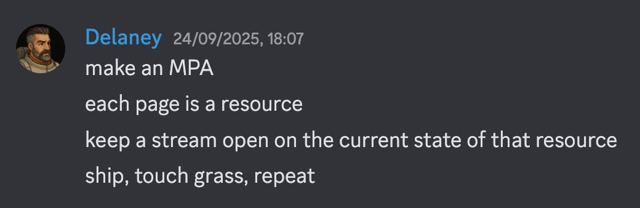
Browsers automatically keep a history of pages visited. As soon as you start trying to manage browser history yourself, you are adding complexity. Each page is a resource. Use anchor tags and let the browser do what it is good at.
CQRS #
CQRS, in which commands (writes) and requests (reads) are segregated, makes it possible to have a single long-lived request to receive updates from the backend (reads), while making multiple short-lived requests to the backend (writes). It is a powerful pattern that makes real-time collaboration simple using Datastar. Here’s a basic example.
Loading Indicators #
Loading indicators inform the user that an action is in progress. Use the data-indicator attribute to show loading indicators on elements that trigger backend requests. Here’s an example of a button that shows a loading element while waiting for a response from the backend.
When using CQRS, it is generally better to manually show a loading indicator when backend requests are made, and allow it to be hidden when the DOM is updated from the backend. Here’s an example.
Optimistic Updates #
Optimistic updates (also known as optimistic UI) are when the UI updates immediately as if an operation succeeded, before the backend actually confirms it. It is a strategy used to makes web apps feel snappier, when it in fact deceives the user. Imagine seeing a confirmation message that an action succeeded, only to be shown a second later that it actually failed. Rather than deceive the user, use loading indicators to show the user that the action is in progress, and only confirm success from the backend (see this example).
Accessibility #
The web should be accessible to everyone. Datastar stays out of your way and leaves accessibility to you. Use semantic HTML, apply ARIA where it makes sense, and ensure your app works well with keyboards and screen readers. Here’s an example of using data-attr to apply ARIA attributes to a button that toggles the visibility of a menu.
Reference
Attributes
Data attributes are evaluated in the order they appear in the DOM, have special casing rules, can be aliased to avoid conflicts with other libraries, can contain Datastar expressions, and have runtime error handling.
The Datastar VSCode extension and IntelliJ plugin provide autocomplete, diagnostics, hover documentation, and syntax highlighting.
data-attr #
Sets the value of any HTML attribute to an expression, and keeps it in sync.
1<div data-attr:aria-label="$foo"></div>The data-attr attribute can also be used to set the values of multiple attributes on an element using a set of key-value pairs, where the keys represent attribute names and the values represent expressions.
1<div data-attr="{'aria-label': $foo, disabled: $bar}"></div>data-bind #
Creates a signal (if one doesn’t already exist) and sets up two-way data binding between it and an element’s current bound state. When the signal changes, Datastar writes that value to the element. When one of the bind events fires, Datastar reads the element’s current bound property/value and writes that back to the signal.
The data-bind attribute can be placed on any HTML element on which data can be input or choices selected (input, select, textarea elements, and web components). Native elements use their built-in bind semantics automatically. Generic custom elements default to binding through value and listening on change.
data-bind does not inspect the event payload. It only uses the configured event as a signal to re-read the element’s current bound property/value. If you need to pull data from event itself, use data-on:* instead.
1<input data-bind:foo />The signal name can be specified in the key (as above), or in the value (as below). This can be useful depending on the templating language you are using.
1<input data-bind="foo" />Attribute casing rules apply to the signal name.
The initial value of the signal is set to the value of the element, unless a signal has already been defined. So in the example below, $fooBar is set to baz.
1<input data-bind:foo-bar value="baz" />Whereas in the example below, $fooBar inherits the value fizz of the predefined signal.
Predefined Signal Types
When you predefine a signal, its type is preserved during binding. Whenever the element’s value changes, the signal value is automatically converted to match the original type.
For example, in the code below, $fooBar is set to the number 10 (not the string "10") when the option is selected.
In the same way, you can assign multiple input values to a single signal by predefining it as an array. In the example below, $fooBar becomes ["fizz", "baz"] when both checkboxes are checked, and ["", ""] when neither is checked.
File Uploads
Input fields of type file will automatically encode file contents in base64. This means that a form is not required.
1<input type="file" data-bind:files multiple />The resulting signal is in the format { name: string, contents: string, mime: string }[]. See the file upload example.
If you want files to be uploaded to the server, rather than be converted to signals, use a form and withmultipart/form-datain theenctypeattribute. See the backend actions reference.
Modifiers
Modifiers allow you to modify behavior when binding signals using a key.
__case– Converts the casing of the signal name..camel– Camel case:mySignal(default).kebab– Kebab case:my-signal.snake– Snake case:my_signal.pascal– Pascal case:MySignal
__prop– Binds to a specific property instead of the default binding. Must not be a read-only property.- Example:
data-bind:is-checked__prop.checked
- Example:
__event– Defines which events sync the element property back to the signal.- Example:
data-bind:query__event.input.change
- Example:
Native form controls use their built-in binding semantics automatically. Generic custom elements default to value and change. Use __prop and __event when a custom element’s live state is stored somewhere else.
1<my-toggle data-bind:is-checked__prop.checked__event.change></my-toggle>data-class #
Adds or removes a class to or from an element based on an expression.
1<div data-class:font-bold="$foo == 'strong'"></div>If the expression evaluates to true, the font-bold class is added to the element; otherwise, it is removed.
The data-class attribute can also be used to add or remove multiple classes from an element using a set of key-value pairs, where the keys represent class names and the values represent expressions.
1<div data-class="{success: $foo != '', 'font-bold': $foo == 'strong'}"></div>Modifiers
Modifiers allow you to modify behavior when defining a class name using a key.
__case– Converts the casing of the class..camel– Camel case:myClass.kebab– Kebab case:my-class(default).snake– Snake case:my_class.pascal– Pascal case:MyClass
1<div data-class:my-class__case.camel="$foo"></div>data-computed #
Creates a signal that is computed based on an expression. The computed signal is read-only, and its value is automatically updated when any signals in the expression are updated.
1<div data-computed:foo="$bar + $baz"></div>Computed signals are useful for memoizing expressions containing other signals. Their values can be used in other expressions.
Computed signal expressions must not be used for performing actions (changing other signals, actions, JavaScript functions, etc.). If you need to perform an action in response to a signal change, use the data-effect attribute.The data-computed attribute can also be used to create computed signals using a set of key-value pairs, where the keys represent signal names and the values are callables (usually arrow functions) that return a reactive value.
1<div data-computed="{foo: () => $bar + $baz}"></div>Modifiers
Modifiers allow you to modify behavior when defining computed signals using a key.
__case– Converts the casing of the signal name..camel– Camel case:mySignal(default).kebab– Kebab case:my-signal.snake– Snake case:my_signal.pascal– Pascal case:MySignal
1<div data-computed:my-signal__case.kebab="$bar + $baz"></div>data-effect #
Executes an expression on page load and whenever any signals in the expression change. This is useful for performing side effects, such as updating other signals, making requests to the backend, or manipulating the DOM.
1<div data-effect="$foo = $bar + $baz"></div>data-ignore #
Datastar walks the entire DOM and applies plugins to each element it encounters. It’s possible to tell Datastar to ignore an element and its descendants by placing a data-ignore attribute on it. This can be useful for preventing naming conflicts with third-party libraries, or when you are unable to escape user input.
Modifiers
__self– Only ignore the element itself, not its descendants.
data-ignore-morph #
Similar to the data-ignore attribute, the data-ignore-morph attribute tells the PatchElements watcher to skip processing an element and its children when morphing elements.
To remove thedata-ignore-morphattribute from an element, simply patch the element with thedata-ignore-morphattribute removed.
data-indicator #
Creates a signal and sets its value to true while a fetch request is in flight, otherwise false. The signal can be used to show a loading indicator.
This can be useful for showing a loading spinner, disabling a button, etc.
The signal name can be specified in the key (as above), or in the value (as below). This can be useful depending on the templating language you are using.
1<button data-indicator="fetching"></button>When using data-indicator with a fetch request initiated in a data-init attribute, you should ensure that the indicator signal is created before the fetch request is initialized.
1<div data-indicator:fetching data-init="@get('/endpoint')"></div>Modifiers
Modifiers allow you to modify behavior when defining indicator signals using a key.
__case– Converts the casing of the signal name..camel– Camel case:mySignal(default).kebab– Kebab case:my-signal.snake– Snake case:my_signal.pascal– Pascal case:MySignal
data-init #
Runs an expression when the attribute is initialized. This can happen on page load, when an element is patched into the DOM, and any time the attribute is modified (via a backend action or otherwise).
The expression contained in the data-init attribute is executed when the element attribute is loaded into the DOM. This can happen on page load, when an element is patched into the DOM, and any time the attribute is modified (via a backend action or otherwise).1<div data-init="$count = 1"></div>Modifiers
Modifiers allow you to add a delay to the event listener.
__delay– Delay the event listener..500ms– Delay for 500 milliseconds (accepts any integer)..1s– Delay for 1 second (accepts any integer).
__viewtransition– Wraps the expression indocument.startViewTransition()when the View Transition API is available.
1<div data-init__delay.500ms="$count = 1"></div>data-json-signals #
Sets the text content of an element to a reactive JSON stringified version of signals. Useful when troubleshooting an issue.
You can optionally provide a filter object to include or exclude specific signals using regular expressions.
1<!-- Only show signals that include "user" in their path -->
2<pre data-json-signals="{include: /user/}"></pre>
3
4<!-- Show all signals except those ending in "temp" -->
5<pre data-json-signals="{exclude: /temp$/}"></pre>
6
7<!-- Combine include and exclude filters -->
8<pre data-json-signals="{include: /^app/, exclude: /password/}"></pre>
Modifiers
Modifiers allow you to modify the output format.
__terse– Outputs a more compact JSON format without extra whitespace. Useful for displaying filtered data inline.
data-on #
Attaches an event listener to an element, executing an expression whenever the event is triggered.
1<button data-on:click="$foo = ''">Reset</button>An evt variable that represents the event object is available in the expression.
1<div data-on:my-event="$foo = evt.detail"></div>The data-on attribute works with events and custom events. The data-on:submit event listener prevents the default submission behavior of forms.
Modifiers
Modifiers allow you to modify behavior when events are triggered. Some modifiers have tags to further modify the behavior.
__once* – Only trigger the event listener once.__passive* – Do not callpreventDefaulton the event listener.__capture* – Use a capture event listener.__case– Converts the casing of the event..camel– Camel case:myEvent.kebab– Kebab case:my-event(default).snake– Snake case:my_event.pascal– Pascal case:MyEvent
__delay– Delay the event listener..500ms– Delay for 500 milliseconds (accepts any integer)..1s– Delay for 1 second (accepts any integer).
__debounce– Debounce the event listener..500ms– Debounce for 500 milliseconds (accepts any integer)..1s– Debounce for 1 second (accepts any integer)..leading– Debounce with leading edge (must come after timing)..notrailing– Debounce without trailing edge (must come after timing).
__throttle– Throttle the event listener..500ms– Throttle for 500 milliseconds (accepts any integer)..1s– Throttle for 1 second (accepts any integer)..noleading– Throttle without leading edge (must come after timing)..trailing– Throttle with trailing edge (must come after timing).
__viewtransition– Wraps the expression indocument.startViewTransition()when the View Transition API is available.__window– Attaches the event listener to thewindowelement.__document– Attaches the event listener to thedocumentelement. Useful for events that are only available ondocumentand that do not bubble.__outside– Triggers when the event is outside the element.__prevent– CallspreventDefaulton the event listener.__stop– CallsstopPropagationon the event listener.
* Only works with built-in events.
data-on-intersect #
Runs an expression when the element intersects with the viewport.
1<div data-on-intersect="$intersected = true"></div>Modifiers
Modifiers allow you to modify the element intersection behavior and the timing of the event listener.
__once– Only triggers the event once.__exit– Only triggers the event when the element exits the viewport.__half– Triggers when half of the element is visible.__full– Triggers when the full element is visible.__threshold– Triggers when the element is visible by a certain percentage..25– Triggers when 25% of the element is visible..75– Triggers when 75% of the element is visible.
__delay– Delay the event listener..500ms– Delay for 500 milliseconds (accepts any integer)..1s– Delay for 1 second (accepts any integer).
__debounce– Debounce the event listener..500ms– Debounce for 500 milliseconds (accepts any integer)..1s– Debounce for 1 second (accepts any integer)..leading– Debounce with leading edge (must come after timing)..notrailing– Debounce without trailing edge (must come after timing).
__throttle– Throttle the event listener..500ms– Throttle for 500 milliseconds (accepts any integer)..1s– Throttle for 1 second (accepts any integer)..noleading– Throttle without leading edge (must come after timing)..trailing– Throttle with trailing edge (must come after timing).
__viewtransition– Wraps the expression indocument.startViewTransition()when the View Transition API is available.
1<div data-on-intersect__once__full="$fullyIntersected = true"></div>data-on-interval #
Runs an expression at a regular interval. The interval duration defaults to one second and can be modified using the __duration modifier.
1<div data-on-interval="$count++"></div>Modifiers
Modifiers allow you to modify the interval duration.
__duration– Sets the interval duration..500ms– Interval duration of 500 milliseconds (accepts any integer)..1s– Interval duration of 1 second (default)..leading– Execute the first interval immediately.
__viewtransition– Wraps the expression indocument.startViewTransition()when the View Transition API is available.
1<div data-on-interval__duration.500ms="$count++"></div>data-on-signal-patch #
Runs an expression whenever any signals are patched. This is useful for tracking changes, updating computed values, or triggering side effects when data updates.
1<div data-on-signal-patch="console.log('A signal changed!')"></div>The patch variable is available in the expression and contains the signal patch details.
1<div data-on-signal-patch="console.log('Signal patch:', patch)"></div>You can filter which signals to watch using the data-on-signal-patch-filter attribute.
Modifiers
Modifiers allow you to modify the timing of the event listener.
__delay– Delay the event listener..500ms– Delay for 500 milliseconds (accepts any integer)..1s– Delay for 1 second (accepts any integer).
__debounce– Debounce the event listener..500ms– Debounce for 500 milliseconds (accepts any integer)..1s– Debounce for 1 second (accepts any integer)..leading– Debounce with leading edge (must come after timing)..notrailing– Debounce without trailing edge (must come after timing).
__throttle– Throttle the event listener..500ms– Throttle for 500 milliseconds (accepts any integer)..1s– Throttle for 1 second (accepts any integer)..noleading– Throttle without leading edge (must come after timing)..trailing– Throttle with trailing edge (must come after timing).
1<div data-on-signal-patch__debounce.500ms="doSomething()"></div>data-on-signal-patch-filter #
Filters which signals to watch when using the data-on-signal-patch attribute.
The data-on-signal-patch-filter attribute accepts an object with include and/or exclude properties that are regular expressions.
1<!-- Only react to counter signal changes -->
2<div data-on-signal-patch-filter="{include: /^counter$/}"></div>
3
4<!-- React to all changes except those ending with "changes" -->
5<div data-on-signal-patch-filter="{exclude: /changes$/}"></div>
6
7<!-- Combine include and exclude filters -->
8<div data-on-signal-patch-filter="{include: /user/, exclude: /password/}"></div>
data-preserve-attr #
Preserves the value of an attribute when morphing DOM elements.
You can preserve multiple attributes by separating them with a space.
data-ref #
Creates a new signal that is a reference to the element on which the data attribute is placed.
1<div data-ref:foo></div>The signal name can be specified in the key (as above), or in the value (as below). This can be useful depending on the templating language you are using.
1<div data-ref="foo"></div>The signal value can then be used to reference the element.
1$foo is a reference to a <span data-text="$foo.tagName"></span> elementModifiers
Modifiers allow you to modify behavior when defining references using a key.
__case– Converts the casing of the signal name..camel– Camel case:mySignal(default).kebab– Kebab case:my-signal.snake– Snake case:my_signal.pascal– Pascal case:MySignal
1<div data-ref:my-signal__case.kebab></div>data-show #
Shows or hides an element based on whether an expression evaluates to true or false. For anything with custom requirements, use data-class instead.
1<div data-show="$foo"></div>To prevent flickering of the element before Datastar has processed the DOM, you can add a display: none style to the element to hide it initially.
1<div data-show="$foo" style="display: none"></div>data-signals #
Patches (adds, updates or removes) one or more signals into the existing signals. Values defined later in the DOM tree override those defined earlier.
1<div data-signals:foo="1"></div>Signals can be nested using dot-notation.
1<div data-signals:foo.bar="1"></div>The data-signals attribute can also be used to patch multiple signals using a set of key-value pairs, where the keys represent signal names and the values represent expressions.
1<div data-signals="{foo: {bar: 1, baz: 2}}"></div>The value above is written in JavaScript object notation, but JSON, which is a subset and which most templating languages have built-in support for, is also allowed.
Setting a signal’s value to null or undefined removes the signal.
1<div data-signals="{foo: null}"></div>Keys used in data-signals:* are converted to camel case, so the signal name mySignal must be written as data-signals:my-signal or data-signals="{mySignal: 1}".
Signals beginning with an underscore are not included in requests to the backend by default. You can opt to include them by modifying the value of the filterSignals option.
Signal names cannot begin with nor contain a double underscore (__), due to its use as a modifier delimiter.Modifiers
Modifiers allow you to modify behavior when patching signals using a key.
__case– Converts the casing of the signal name..camel– Camel case:mySignal(default).kebab– Kebab case:my-signal.snake– Snake case:my_signal.pascal– Pascal case:MySignal
__ifmissing– Only patches signals if their keys do not already exist. This is useful for setting defaults without overwriting existing values.
data-style #
Sets the value of inline CSS styles on an element based on an expression, and keeps them in sync.
The data-style attribute can also be used to set multiple style properties on an element using a set of key-value pairs, where the keys represent CSS property names and the values represent expressions.
Empty string, null, undefined, or false values will restore the original inline style value if one existed, or remove the style property if there was no initial value. This allows you to use the logical AND operator (&&) for conditional styles: $condition && 'value' will apply the style when the condition is true and restore the original value when false.
1<!-- When $x is false, color remains red from inline style -->
2<div style="color: red;" data-style:color="$x && 'green'"></div>
3
4<!-- When $hiding is true, display becomes none; when false, reverts to flex from inline style -->
5<div style="display: flex;" data-style:display="$hiding && 'none'"></div>
The plugin tracks initial inline style values and restores them when data-style expressions become falsy or during cleanup. This ensures existing inline styles are preserved and only the dynamic changes are managed by Datastar.
data-text #
Binds the text content of an element to an expression.
1<div data-text="$foo"></div>Pro Attributes #
The Pro attributes add functionality to the free open source Datastar framework. These attributes are available under a commercial license that helps fund our open source work.
data-animate #Pro
Allows you to animate element attributes over time. Animated attributes are updated reactively whenever signals used in the expression change.
data-custom-validity #Pro
Allows you to add custom validity to an element using an expression. The expression must evaluate to a string that will be set as the custom validity message. If the string is empty, the input is considered valid. If the string is non-empty, the input is considered invalid and the string is used as the reported message.
data-match-media #Pro
Sets a signal to whether a media query matches and keeps it in sync whenever the query changes.
The query value can be written as prefers-color-scheme: dark or (prefers-color-scheme: dark), with or without surrounding quotes.
For more complex queries, pass a quoted query string with explicit media-query syntax (including parentheses) exactly as you want it evaluated by window.matchMedia.
See the match media example.
Modifiers
Modifiers allow you to modify behavior when defining signals using a key.
__case– Converts the casing of the signal name..camel– Camel case:mySignal(default).kebab– Kebab case:my-signal.snake– Snake case:my_signal.pascal– Pascal case:MySignal
1<div data-match-media:is-dark__case.kebab="'prefers-color-scheme: dark'"></div>data-on-raf #Pro
Runs an expression on every requestAnimationFrame event.
1<div data-on-raf="$count++"></div>Modifiers
Modifiers allow you to modify the timing of the event listener.
__throttle– Throttle the event listener..500ms– Throttle for 500 milliseconds (accepts any integer)..1s– Throttle for 1 second (accepts any integer)..noleading– Throttle without leading edge (must come after timing)..trailing– Throttle with trailing edge (must come after timing).
1<div data-on-raf__throttle.10ms="$count++"></div>data-on-resize #Pro
Runs an expression whenever an element’s dimensions change.
1<div data-on-resize="$count++"></div>Modifiers
Modifiers allow you to modify the timing of the event listener.
__debounce– Debounce the event listener..500ms– Debounce for 500 milliseconds (accepts any integer)..1s– Debounce for 1 second (accepts any integer)..leading– Debounce with leading edge (must come after timing)..notrailing– Debounce without trailing edge (must come after timing).
__throttle– Throttle the event listener..500ms– Throttle for 500 milliseconds (accepts any integer)..1s– Throttle for 1 second (accepts any integer)..noleading– Throttle without leading edge (must come after timing)..trailing– Throttle with trailing edge (must come after timing).
1<div data-on-resize__debounce.10ms="$count++"></div>data-persist #Pro
Persists signals in local storage. This is useful for storing values between page loads.
1<div data-persist></div>The signals to be persisted can be filtered by providing a value that is an object with include and/or exclude properties that are regular expressions.
1<div data-persist="{include: /foo/, exclude: /bar/}"></div>You can use a custom storage key by adding it after data-persist:. By default, signals are stored using the key datastar.
1<div data-persist:mykey></div>Modifiers
Modifiers allow you to modify the storage target.
__session– Persists signals in session storage instead of local storage.
data-query-string #Pro
Syncs query string params to signal values on page load, and syncs signal values to query string params on change.
1<div data-query-string></div>The signals to be synced can be filtered by providing a value that is an object with include and/or exclude properties that are regular expressions.
1<div data-query-string="{include: /foo/, exclude: /bar/}"></div>Modifiers
Modifiers allow you to enable history support.
__filter– Filters out empty values when syncing signal values to query string params.__history– Enables history support – each time a matching signal changes, a new entry is added to the browser’s history stack. Signal values are restored from the query string params on popstate events.
1<div data-query-string__filter__history></div>data-replace-url #Pro
Replaces the URL in the browser without reloading the page. The value can be a relative or absolute URL, and is an evaluated expression.
1<div data-replace-url="`/page${page}`"></div>data-scroll-into-view #Pro
Scrolls the element into view. Useful when updating the DOM from the backend, and you want to scroll to the new content.
1<div data-scroll-into-view></div>Modifiers
Modifiers allow you to modify scrolling behavior.
__smooth– Scrolling is animated smoothly.__instant– Scrolling is instant.__auto– Scrolling is determined by the computedscroll-behaviorCSS property.__hstart– Scrolls to the left of the element.__hcenter– Scrolls to the horizontal center of the element.__hend– Scrolls to the right of the element.__hnearest– Scrolls to the nearest horizontal edge of the element.__vstart– Scrolls to the top of the element.__vcenter– Scrolls to the vertical center of the element.__vend– Scrolls to the bottom of the element.__vnearest– Scrolls to the nearest vertical edge of the element.__focus– Focuses the element after scrolling.
data-view-transition #Pro
Sets the view-transition-name style attribute explicitly.
1<div data-view-transition="$foo"></div>Page level transitions are automatically handled by an injected meta tag. Inter-page elements are automatically transitioned if the View Transition API is available in the browser and useViewTransitions is true.
Attribute Evaluation Order #
Elements are evaluated by walking the DOM in a depth-first manner, and attributes are applied in the order they appear in the element. This is important in some cases, such as when using data-indicator with a fetch request initiated in a data-init attribute, in which the indicator signal must be created before the fetch request is initialized.
1<div data-indicator:fetching data-init="@get('/endpoint')"></div>Data attributes are evaluated and applied on page load (after Datastar has initialized), and are reapplied after any DOM patches that add, remove, or change them. Note that morphing elements preserves existing attributes unless they are explicitly changed in the DOM, meaning they will only be reapplied if the attribute itself is changed.
Attribute Casing #
According to the HTML spec, all data-* attributes (not Datastar the framework, but any time a data attribute appears in the DOM) are case-insensitive. When Datastar processes these attributes, hyphenated names are automatically converted to camel case by removing hyphens and uppercasing the letter following each hyphen.
Datastar handles casing of data attribute key suffixes containing hyphens in two ways:
- The keys used in attributes that define signals (
data-bind:*,data-signals:*,data-computed:*, etc.), are converted to camel case (the recommended casing for signals) by removing hyphens and uppercasing the letter following each hyphen. For example,data-signals:my-signaldefines a signal namedmySignal, and you would use the signal in a Datastar expression as$mySignal. - The keys suffixes used by all other attributes are, by default, converted to kebab case. For example,
data-class:text-blue-700adds or removes the classtext-blue-700, anddata-on:rocket-launchedwould react to the event namedrocket-launched.
You can use the __case modifier to convert between camelCase, kebab-case, snake_case, and PascalCase, or alternatively use object syntax when available.
For example, if listening for an event called widgetLoaded, you would use data-on:widget-loaded__case.camel.
Aliasing Attributes #
It is possible to alias data-* attributes to a custom alias (data-alias-*, for example) using the bundler. A custom alias should only be used if you have a conflict with a legacy library and data-ignore cannot be used.
We maintain a data-star-* aliased version that can be included as follows.
1<script type="module" src="https://cdn.jsdelivr.net/gh/starfederation/[email protected]/bundles/datastar-aliased.js"></script>Datastar Expressions #
Datastar expressions used in data-* attributes parse signals, converting all dollar signs followed by valid signal name characters into their corresponding signal values. Expressions support standard JavaScript syntax, including operators, function calls, ternary expressions, and object and array literals.
A variable el is available in every Datastar expression, representing the element that the attribute exists on.
1<div id="bar" data-text="$foo + el.id"></div>Read more about Datastar expressions in the guide.
Error Handling #
Datastar has built-in error handling and reporting for runtime errors. When a data attribute is used incorrectly, for example data-text-foo, the following error message is logged to the browser console.
 1Uncaught datastar runtime error: textKeyNotAllowed
 2More info: https://data-star.dev/errors/key_not_allowed?metadata=%7B%22plugin%22%3A%7B%22name%22%3A%22text%22%2C%22type%22%3A%22attribute%22%7D%2C%22element%22%3A%7B%22id%22%3A%22%22%2C%22tag%22%3A%22DIV%22%7D%2C%22expression%22%3A%7B%22rawKey%22%3A%22textFoo%22%2C%22key%22%3A%22foo%22%2C%22value%22%3A%22%22%2C%22fnContent%22%3A%22%22%7D%7D
 3Context: {
 4    "plugin": {
 5        "name": "text",
 6        "type": "attribute"
 7    },
 8    "element": {
 9        "id": "",
10        "tag": "DIV"
11    },
12    "expression": {
13        "rawKey": "textFoo",
14        "key": "foo",
15        "value": "",
16        "fnContent": ""
17    }
18}
The “More info” link takes you directly to a context-aware error page that explains the error and provides correct sample usage. See the error page for the example above, and all available error messages in the sidebar menu.
Actions
Datastar provides actions (helper functions) that can be used in Datastar expressions.
The @ prefix designates Datastar actions in expressions. Datastar rewrites action calls and dispatches them to registered action functions. It does not prevent other JavaScript from being executed in an expression.@peek() #
@peek(callable: () => any)Allows accessing signals without subscribing to their changes in expressions.
1<div data-text="$foo + @peek(() => $bar)"></div>In the example above, the expression in the data-text attribute will be re-evaluated whenever $foo changes, but it will not be re-evaluated when $bar changes, since it is evaluated inside the @peek() action.
@setAll() #
@setAll(value: any, filter?: {include: RegExp, exclude?: RegExp})Sets the value of all matching signals (or all signals if no filter is used) to the expression provided in the first argument. The second argument is an optional filter object with an include property that accepts a regular expression to match signal paths. You can optionally provide an exclude property to exclude specific patterns.
The Datastar Inspector can be used to inspect and filter current signals and view signal patch events in real-time.
 1<!-- Sets the `foo` signal only -->
 2<div data-signals:foo="false">
 3    <button data-on:click="@setAll(true, {include: /^foo$/})"></button>
 4</div>
 5
 6<!-- Sets all signals starting with `user.` -->
 7<div data-signals="{user: {name: '', nickname: ''}}">
 8    <button data-on:click="@setAll('johnny', {include: /^user\./})"></button>
 9</div>
10
11<!-- Sets all signals except those ending with `_temp` -->
12<div data-signals="{data: '', data_temp: '', info: '', info_temp: ''}">
13    <button data-on:click="@setAll('reset', {include: /.*/, exclude: /_temp$/})"></button>
14</div>
@toggleAll() #
@toggleAll(filter?: {include: RegExp, exclude?: RegExp})Toggles the boolean value of all matching signals (or all signals if no filter is used). The argument is an optional filter object with an include property that accepts a regular expression to match signal paths. You can optionally provide an exclude property to exclude specific patterns.
The Datastar Inspector can be used to inspect and filter current signals and view signal patch events in real-time.
 1<!-- Toggles the `foo` signal only -->
 2<div data-signals:foo="false">
 3    <button data-on:click="@toggleAll({include: /^foo$/})"></button>
 4</div>
 5
 6<!-- Toggles all signals starting with `is` -->
 7<div data-signals="{isOpen: false, isActive: true, isEnabled: false}">
 8    <button data-on:click="@toggleAll({include: /^is/})"></button>
 9</div>
10
11<!-- Toggles signals starting with `settings.` -->
12<div data-signals="{settings: {darkMode: false, autoSave: true}}">
13    <button data-on:click="@toggleAll({include: /^settings\./})"></button>
14</div>
Backend Actions #
@get() #
@get(uri: string, options={ })Sends a GET request to the backend using the Fetch API. The URI can be any valid endpoint, and the response type any of the allowed response types, or a 204 No Content response if the response body is empty.
1<button data-on:click="@get('/endpoint')"></button>By default, requests are sent with a Datastar-Request: true header, and a {datastar: *} object containing all existing signals, except those beginning with an underscore. This behavior can be changed using the filterSignals option, which allows you to include or exclude specific signals using regular expressions.
When using a get request, the signals are sent as a query parameter, otherwise they are sent as a JSON body.When a page is hidden (in a background tab, for example), the default behavior for get requests is for the SSE connection to be closed, and reopened when the page becomes visible again. To keep the connection open when the page is hidden, set the openWhenHidden option to true.
1<button data-on:click="@get('/endpoint', {openWhenHidden: true})"></button>It’s possible to send form encoded requests by setting the contentType option to form. This sends requests using application/x-www-form-urlencoded encoding.
1<button data-on:click="@get('/endpoint', {contentType: 'form'})"></button>It’s also possible to send requests using multipart/form-data encoding by specifying it in the form element’s enctype attribute. This should be used when uploading files. See the form data example.
@post() #
@post(uri: string, options={ })Works the same as @get() but sends a POST request to the backend.
1<button data-on:click="@post('/endpoint')"></button>@put() #
@put(uri: string, options={ })Works the same as @get() but sends a PUT request to the backend.
1<button data-on:click="@put('/endpoint')"></button>@patch() #
@patch(uri: string, options={ })Works the same as @get() but sends a PATCH request to the backend.
1<button data-on:click="@patch('/endpoint')"></button>@query() #
@query(uri: string, options={ })Works the same as @get() but sends a QUERY request to the backend. Unlike GET, signals are sent in the request body, allowing large or complex queries without encoding them in the URI. Unlike POST, QUERY is a safe and idempotent HTTP method intended for read-only operations.
1<button data-on:click="@query('/endpoint')"></button>@delete() #
@delete(uri: string, options={ })Works the same as @get() but sends a DELETE request to the backend.
1<button data-on:click="@delete('/endpoint')"></button>Options #
All of the actions above take a second argument of options.
contentType– The type of content to send. A value ofjsonsends all signals in a JSON request. A value offormtells the action to look for the closest form to the element on which it is placed (unless aselectoroption is provided), perform validation on the form elements, and send them to the backend using a form request (no signals are sent). Defaults tojson.filterSignals– A filter object with anincludeproperty that accepts a regular expression to match signal paths (defaults to all signals:/.*/), and an optionalexcludeproperty to exclude specific signal paths (defaults to all signals that do not have a_prefix:/(^_|\._).*/).The Datastar Inspector can be used to inspect and filter current signals and view signal patch events in real-time.
selector– Optionally specifies a form to send when thecontentTypeoption is set toform. If the value isnull, the closest form is used. Defaults tonull.headers– An object containing headers to send with the request.openWhenHidden– Whether to keep the connection open when the page is hidden. Useful for dashboards but can cause a drain on battery life and other resources when enabled. Defaults tofalseforgetrequests, andtruefor all other HTTP methods.payload– Allows the fetch payload to be overridden with a custom object.retry– Determines when to retry requests. Can be'auto'(default, retries on network errors only),'error'(retries on4xxand5xxresponses),'always'(retries on all non-204responses except redirects), or'never'(disables retries). Defaults to'auto'.retryInterval– The retry interval in milliseconds. Defaults to1000(one second).retryScaler– A numeric multiplier applied to scale retry wait times. Defaults to2.retryMaxWait– The maximum allowable wait time in milliseconds between retries. Defaults to30000(30 seconds).retryMaxCount– The maximum number of retry attempts. Defaults to10.requestCancellation– Controls request cancellation behavior. Can be'auto'(default, cancels in-flight requests to the same URL using the same HTTP method),'cleanup'(cancels requests on element or attribute cleanup, and cancels in-flight requests to the same URL using the same HTTP method),'disabled'(allows concurrent requests), or anAbortControllerinstance for custom control. Defaults to'auto'.
Request Cancellation #
By default, a new fetch request automatically cancels any in-flight request with the same HTTP method and URL argument, regardless of which element initiated it.
For example, if a user rapidly clicks a button that triggers a backend action, only the most recent request remains active:
Automatic cancellation is based on HTTP method and URL. Requests using different methods or URLs can run concurrently, without automatically cancelling each other.
You can control this behavior using the requestCancellation option:
 1<!-- Disable automatic cancellation for this request -->
 2<button data-on:click="@get('/endpoint', {requestCancellation: 'disabled'})">
 3    Allow Multiple
 4</button>
 5
 6<!-- Create a controller for each request so it can be cancelled manually -->
 7<button data-on:click="
 8    $controller = new AbortController();
 9    @get('/endpoint', {requestCancellation: $controller})
10">
11    Start Request
12</button>
13<button data-on:click="$controller?.abort()">
14    Cancel Request
15</button>
Response Handling #
Backend actions automatically handle different response content types:
text/event-stream– Standard SSE responses with Datastar SSE events.text/html– HTML elements to patch into the DOM.application/json– JSON encoded signals to patch.text/javascript– JavaScript code to execute in the browser.
text/html
When returning HTML (text/html), the server can optionally include the following response headers:
datastar-selector– A CSS selector for the target elements to patchdatastar-mode– How to patch the elements (outer,inner,remove,replace,prepend,append,before,after). Defaults toouter.datastar-use-view-transition– Whether to use the View Transition API when patching elements.
application/json
When returning JSON (application/json), the server can optionally include the following response header:
datastar-only-if-missing– If set totrue, only patch signals that don’t already exist.
text/javascript
When returning JavaScript (text/javascript), the server can optionally include the following response header:
datastar-script-attributes– Sets the script element’s attributes using a JSON encoded string.
Events #
All of the actions above trigger datastar-fetch events during the fetch request lifecycle. The event type determines the stage of the request.
started– Triggered when the fetch request is started.finished– Triggered when the fetch request is finished.error– Triggered when the fetch request encounters an error.retrying– Triggered when the fetch request is retrying.retries-failed– Triggered when all fetch retries have failed.
Pro Actions #
@clipboard() #Pro
@clipboard(text: string, isBase64?: boolean)Copies the provided text to the clipboard. If the second parameter is true, the text is treated as Base64 encoded, and is decoded before copying.
Base64 encoding is useful when copying content that contains special characters, quotes, or code fragments that might not be valid within HTML attributes. This prevents parsing errors and ensures the content is safely embedded in data-* attributes.@fit() #Pro
@fit(v: number, oldMin: number, oldMax: number, newMin: number, newMax: number, shouldClamp=false, shouldRound=false)Linearly interpolates a value from one range to another. This is useful for converting between different scales, such as mapping a slider value to a percentage or converting temperature units.
The optional shouldClamp parameter ensures the result stays within the new range, and shouldRound rounds the result to the nearest integer.
 1<!-- Convert a 0-100 slider to 0-255 RGB value -->
 2<div>
 3    <input type="range" min="0" max="100" value="50" data-bind:slider-value>
 4    <div data-computed:rgb-value="@fit($sliderValue, 0, 100, 0, 255)">
 5        RGB Value: <span data-text="$rgbValue"></span>
 6    </div>
 7</div>
 8
 9<!-- Convert Celsius to Fahrenheit -->
10<div>
11    <input type="number" data-bind:celsius value="20" />
12    <div data-computed:fahrenheit="@fit($celsius, 0, 100, 32, 212)">
13        <span data-text="$celsius"></span>°C = <span data-text="$fahrenheit.toFixed(1)"></span>°F
14    </div>
15</div>
16
17<!-- Map mouse position to element opacity (clamped) -->
18<div
19    data-signals:mouse-x="0"
20    data-computed:opacity="@fit($mouseX, 0, window.innerWidth, 0, 1, true)"
21    data-on:mousemove__window="$mouseX = evt.clientX"
22    data-attr:style="'opacity: ' + $opacity"
23>
24    Move your mouse horizontally to change opacity
25</div>
@intl() #Pro
@intl(type: string, value: any, options?: Record<string, any>, locale?: string | string[])Provides internationalized, locale-aware formatting for dates, numbers, and other values using the Intl namespace object.
1<!-- Converts a number to a formatted USD currency string in the user’s locale -->
2<div data-text="@intl('number', 1000000, {style: 'currency', currency: 'USD'})"></div>
3
4<!-- Converts a date to a formatted string in the specified locale -->
5<div data-text="@intl('datetime', new Date(), {weekday: 'long', year: 'numeric', month: 'long', day: 'numeric', hour: '2-digit', minute: '2-digit', second: '2-digit'}, 'de-AT')"></div>
The type parameter specifies the type of value to format. Possible values:
datetime– formats dates and times using Intl.DateTimeFormatnumber– formats numbers using Intl.NumberFormatpluralRules– determines plural rules using Intl.PluralRulesrelativeTime– formats relative time using Intl.RelativeTimeFormatlist– formats lists using Intl.ListFormatdisplayNames– gets display names for languages, regions, etc. using Intl.DisplayNames
The options parameter can be one of several Intl option types depending on the type parameter:
- Intl.DateTimeFormatOptions – when type is
datetime - Intl.NumberFormatOptions – when type is
number - Intl.PluralRulesOptions – when type is
pluralRules - Intl.RelativeTimeFormatOptions – when type is
relativeTime - Intl.ListFormatOptions – when type is
list - Intl.DisplayNamesOptions – when type is
displayNames
Rocket
Rocket is currently in beta and its API is subject to change.
Overview #
Rocket is Datastar’s web component API. You define a custom element with rocket(tagName, { ... }), describe public props with codecs, put non-DOM instance behavior in setup, use onFirstRender only when work depends on rendered refs or mounted DOM, and return DOM from render.
Rocket is a JavaScript API built around the browser’s custom-element model, with Datastar handling reactivity, local signal scoping, action dispatch, and DOM application.
Bundle #
Rocket is available in the separate datastar-rocket.js bundle. It includes Datastar and Rocket, so load it instead of datastar.js. A matching datastar-rocket.d.ts declaration bundle is available for TypeScript and editor autocomplete.
1<script type="module" src="/path/to/datastar-rocket.js"></script>Usage #
 1import { rocket } from '/path/to/datastar-rocket.js'
 2
 3rocket('demo-counter', {
 4  mode: 'light',
 5  props: ({ number, string }) => ({
 6    count: number.step(1).min(0),
 7    label: string.trim.default('Counter'),
 8  }),
 9  setup: ({ $$, observeProps, props }) => {
10    $$.count = props.count
11    observeProps(() => {
12      $$.count = props.count
13    }, 'count')
14  },
15  render: ({ html, props: { count, label } }) => {
16    return html`
17      <div class="stack gap-2">
18        <button
19          type="button"
20          data-on:click="$$count += 1"
21          data-text="${label} + ': ' + $$count"
22        ></button>
23        <template data-if="$$count !== ${count}">
24          <button type="button" data-on:click="$$count = ${count}">Reset</button>
25        </template>
26      </div>
27    `
28  },
29})
The result is a real web component. Once defined, you use it like any other custom element.
tag #
tag is the first argument to rocket(...). It must contain a hyphen, must be unique, and becomes the actual HTML tag users place in the page.
1rocket(tag: string, options?: RocketDefinition<Defs>): voidRocket registers the element with customElements.define. Re-registering the same tag is ignored, which makes repeated module evaluation safe during development.
Definition #
A Rocket definition describes one custom-element type. Each field controls a specific part of the browser component lifecycle.
| Field | What it does |
|---|---|
mode | Chooses light DOM, open shadow DOM, or closed shadow DOM. |
props | Defines public props, decoding, defaults, and attribute reflection. |
setup | Runs once per connected instance to create local state, prop observers, timers, host APIs, and cleanup. |
onFirstRender | Runs after the initial render and Datastar apply pass, when refs and rendered DOM exist. |
render | Returns the component DOM as Rocket html or svg. |
renderOnPropChange | Controls whether prop updates trigger rerendering. |
manifest | Adds slot and event metadata to Rocket’s generated component manifest. |
mode #
mode chooses where the component renders.
1mode?: 'open' | 'closed' | 'light'| Value | Mount target | When to use it |
|---|---|---|
'light' | The host element itself. | Use when the component should participate directly in the page’s DOM and CSS. |
'open' | An open shadow root. | Use when you want style encapsulation but still want element.shadowRoot. |
'closed' | A closed shadow root. | Use when the internal DOM should stay fully encapsulated. |
If you omit mode, Rocket uses shadow DOM and defaults to 'open'.
Rocket defaults to 'open' because it gives you native slots and a normal shadow-root debugging surface without giving up the main styling mechanism components should rely on: CSS custom properties. CSS variables pierce the shadow boundary, so the usual pattern is to keep component structure encapsulated while letting parents theme it through --tokens.
props #
props defines the component’s public API. Rocket calls it once at definition time and passes in the codec registry. The object you return becomes:
1props?: (codecs: CodecRegistry) => Defs- The list of observed HTML attributes.
- The normalization pipeline for incoming attribute values.
- The property descriptors on the custom-element instance.
- The typed
propsobject passed tosetupandrender.
 1rocket('demo-progress', {
 2  props: ({ number, bool, string }) => ({
 3    value: number.clamp(0, 100),
 4    striped: bool,
 5    label: string.trim.default('Progress'),
 6  }),
 7  render: ({ html, props: { value, striped, label } }) => {
 8    return html`
 9      <div>
10        <strong>${label}</strong>
11        <div class="bar" data-style="{ width: ${value} + '%' }"></div>
12        <span data-show="${striped}">Striped</span>
13      </div>
14    `
15  },
16})
props is optional. If you omit it, Rocket defines no observed attributes and setup / render receive an empty decoded props object.
Each declared prop already gets a normal element property accessor on the custom-element prototype. In other words, host.value, host.checked, and similar prop access work by default without per-instance Object.defineProperty(...) calls.
The intent of props is to give Rocket components a decoded props object that is always usable. Rocket codecs normalize incoming attribute values into valid decoded values instead of throwing on bad input.
On the DOM side, web component attributes arrive as strings. Rocket converts those raw attribute strings into usable prop types for you before setup or render reads them.
This follows the same broad design instinct as Go and Odin zero values and the general behavior of native HTML elements: invalid or missing input should degrade to a sensible value, not crash component setup or rendering. A malformed number becomes a number, a missing string becomes a string, and defaults stay inside the codec layer instead of being rechecked throughout the component.
Prop names are written in JavaScript style and reflected to attributes in kebab case. A prop named startDate maps to an HTML attribute named start-date.
Props vs Signals #
Default to props when data is part of the component’s public API. Props already match the native browser model: they map cleanly to attributes and element properties, reflect through the host element, and give outside code a normal way to configure the component.
Use local Rocket signals for internal reactive state and for imperative integration points where the component has to talk to something outside Rocket’s normal prop/render flow. Good examples are calling charting libraries, talking to third-party widgets, starting timers, or reacting to fetch results and other external async work.
A useful rule is: if a parent or page author should be able to set it directly on the element, make it a prop. If the value mainly exists so setup can coordinate external calls or internal UI state over time, make it a signal.
manifest #
manifest lets you add documentation metadata that Rocket cannot infer from the DOM alone. Rocket already generates prop metadata from your codecs. Use manifest to document slots and events so tooling can describe the full public surface of the component.
 1import { publishRocketManifests, rocket } from '/path/to/datastar-rocket.js'
 2
 3rocket('demo-dialog', {
 4  props: ({ string, bool }) => ({
 5    title: string.default('Dialog'),
 6    open: bool,
 7  }),
 8  manifest: {
 9    slots: [
10      { name: 'default', description: 'Dialog body content.' },
11      { name: 'footer', description: 'Action row content.' },
12    ],
13    events: [
14      {
15        name: 'close',
16        kind: 'custom-event',
17        bubbles: true,
18        composed: true,
19        description: 'Fired when the dialog requests dismissal.',
20      },
21    ],
22  },
23  render: ({ html, props: { title, open } }) => {
24    return html`
25      <section data-show="${open}">
26        <header>${title}</header>
27        <slot></slot>
28        <footer><slot name="footer"></slot></footer>
29      </section>
30    `
31  },
32})
33
34const manifest = customElements.get('demo-dialog')?.manifest?.()
35
36await publishRocketManifests({
37  endpoint: '/api/rocket/manifests',
38})
The generated manifest includes one component entry per Rocket tag. Each entry contains the tag name, inferred prop metadata, and your manual slot and event metadata.
Each registered Rocket class also gets a static manifest() method that returns that component’s manifest entry. This is useful when you want to inspect or test one component locally without publishing the full document.
publishRocketManifests(...) posts the full manifest document as JSON. Rocket sorts components by tag and includes a top-level version and generatedAt timestamp so a docs build or registry service can store snapshots.
setup #
setup runs once per connected element instance after Rocket creates the component scope and before the initial Datastar apply pass. This is the default place for local signals, computed state, prop observers, timers, cleanup handlers, and host APIs that do not depend on rendered refs.
If the code needs rendered DOM, measurements, focus targets, or data-ref:* handles, move that part to onFirstRender() instead of delaying it inside setup().
1setup?: (context: SetupContext<InferProps<Defs>>) => voidDatastar is mostly about setting up relationships, not manually pushing DOM updates. Most component behavior should come from local signals changing over time and the rest of the component reacting to those changes through effects, bindings, and render output.
 1rocket('demo-timer', {
 2  props: ({ number, bool }) => ({
 3    intervalMs: number.min(50).default(1000),
 4    autoplay: bool,
 5  }),
 6  setup: ({ $$, cleanup, props, observeProps }) => {
 7    $$.seconds = 0
 8    let timerId = 0
 9
10    let syncTimer = () => {
11      clearInterval(timerId)
12      if (!props.autoplay) {
13        return
14      }
15      timerId = window.setInterval(() => {
16        $$.seconds += 1
17      }, props.intervalMs)
18    }
19
20    syncTimer()
21    observeProps(syncTimer)
22
23    cleanup(() => clearInterval(timerId))
24  },
25  render: ({ html }) => {
26    return html`
27        <p data-text="$$seconds"></p>
28    `
29  },
30})
Use setup to handle non-ref behavior. Keep markup creation in render, and keep ref-backed DOM work in onFirstRender(). That split matters because Rocket may rerun render many times, while setup and onFirstRender only run once per connected instance.
When behavior needs to react to prop changes, use observeProps(...). The props object is normalized and always usable, but it is not itself a local signal source.
onFirstRender #
onFirstRender runs once per connected instance after Rocket has finished the initial render(), Datastar apply(...), and ref population pass. Use it for work that depends on rendered DOM or data-ref:* refs.
1onFirstRender?: (context: SetupContext<InferProps<Defs>> & { refs: Record<string, any> }) => voidThis is the right place for ref-backed host accessors, DOM measurements, focus management, or third-party widget setup that needs the actual rendered nodes. If a piece of logic would work without refs, keep it in setup instead.
onFirstRender receives the normal setup context plus refs, so it can use $$, refs, overrideProp, defineHostProp, cleanup, and the rest without nesting a second callback inside setup.
 1rocket('demo-input-bridge', {
 2  props: ({ string }) => ({
 3    value: string.default(''),
 4  }),
 5  render: ({ html, props: { value } }) => html`
 6    <input data-ref:input value="${value}">
 7  `,
 8  onFirstRender: ({ overrideProp, refs }) => {
 9    overrideProp(
10      'value',
11      (getDefault) => refs.input?.value ?? getDefault(),
12      (value, setDefault) => {
13        const next = String(value ?? '')
14        if (refs.input && refs.input.value !== next) refs.input.value = next
15        setDefault(next)
16      },
17    )
18  },
19})
If setup code needs to force a render later, call ctx.render with an empty overrides object and any trailing args. That reruns the component render function with the current host, props, and template helpers, plus any extra arguments you pass.
This is not a replacement for local signals. Reach for ctx.render when async or imperative work needs a coarse structural patch, similar to switching a data-if branch. For high-frequency state like counters, form values, loading flags, or selection state, keep using signals and normal Datastar bindings.
 1rocket('demo-user-card', {
 2  props: ({ string, number }) => ({
 3    userId: number.min(1),
 4    fallbackName: string.default('Unknown user'),
 5  }),
 6  setup: ({ cleanup, render, props }) => {
 7    let cancelled = false
 8
 9    ;(async () => {
10      try {
11        const response = await fetch('/users/' + props.userId + '.json')
12        const user = await response.json()
13        if (!cancelled) {
14          render({}, user, null)
15        }
16      } catch (error) {
17        if (!cancelled) {
18          render({}, null, error)
19        }
20      }
21    })()
22
23    cleanup(() => {
24      cancelled = true
25    })
26  },
27  render: ({ html, props: { fallbackName } }, user = null, error = null) => {
28    if (error) {
29      return html`<p>Failed to load user.</p>`
30    }
31    if (!user) {
32      return html`<p>Loading user...</p>`
33    }
34    return html`
35      <article>
36        <h3>${user.name ?? fallbackName}</h3>
37        <p>${user.email ?? 'No email provided'}</p>
38      </article>
39    `
40  },
41})
render #
render is optional. It receives the normalized props, the host element, and two tagged-template helpers: html and svg. Return a Rocket tagged-template fragment, primitive text, an iterable of composed values, or null/undefined.
 1type RocketPrimitiveRenderValue =
 2  | string
 3  | number
 4  | boolean
 5  | bigint
 6  | Date
 7  | null
 8  | undefined
 9
10type RocketComposedRenderValue =
11  | RocketPrimitiveRenderValue
12  | Node
13  | Iterable<RocketComposedRenderValue>
14
15type RocketRenderValue =
16  | DocumentFragment
17  | RocketPrimitiveRenderValue
18  | Iterable<RocketComposedRenderValue>
19
20type RocketRender<Props extends Record<string, any>> = {
21  (context: RenderContext<Props>): RocketRenderValue
22  <A1>(context: RenderContext<Props>, a1: A1): RocketRenderValue
23  <A1, A2, A3, A4, A5, A6, A7, A8>(
24    context: RenderContext<Props>,
25    a1: A1,
26    a2: A2,
27    a3: A3,
28    a4: A4,
29    a5: A5,
30    a6: A6,
31    a7: A7,
32    a8: A8,
33  ): RocketRenderValue
34}
35
36render?: RocketRender<InferProps<Defs>>
This is the method that turns Rocket from a state container into an actual web component. The host element stays stable, while the rendered subtree inside it or inside its shadow root is morphed from the output of render.
Rocket supports up to 8 typed trailing render arguments. Automatic renders call render(context). Setup-driven renders can call ctx.render with an empty overrides object to pass those extra values explicitly.
Treat those manual render calls like coarse DOM branch updates, not like a second reactive state system. If the UI should keep updating as values change over time, model that state with signals and let Datastar update the existing DOM in place.
Inside Rocket html templates, attribute interpolation omits the attribute for false, null, and undefined, while true creates the empty-string form of a boolean attribute.
In normal data positions, booleans, null, and undefined render nothing. If you want the literal text "false" or "true" in the DOM, pass a string, not a boolean value.
If you omit render, Rocket still registers the custom element, runs setup, scopes host-owned children, and wires action dispatch, but it does not morph a rendered subtree.
renderOnPropChange #
By default Rocket behaves as if this were true.
Rocket coalesces multiple prop updates in the same turn into a single queued render() call per component. Prop changes still update props synchronously and notify observeProps() listeners immediately; the queue only deduplicates the component DOM rerender step.
 1rocket('demo-chart', {
 2  props: ({ json, string }) => ({
 3    series: json.default(() => []),
 4    theme: string.default('light'),
 5  }),
 6  mode: 'light',
 7  renderOnPropChange: ({ changes }) => {
 8    return 'theme' in changes
 9  },
10  setup: ({ host, observeProps, props }) => {
11    observeProps(() => {
12      drawChart(host, props.series, props.theme)
13    }, 'series', 'theme')
14  },
15  render: ({ html }) => {
16    return html`
17        <canvas width="640" height="320"></canvas>
18    `
19  },
20})
In that pattern, updating series still updates props.series and notifies observeProps listeners, but it skips DOM rerendering because the canvas is updated imperatively. Use observeProps for prop changes; use effect for local Rocket signals or other reactive Datastar state.
Modes #
Rocket supports both light DOM and shadow DOM because real component systems need both.
- Use
lightwhen the component should inherit page styles, participate in layout naturally, and expose its internals to outside CSS. - Use
openwhen you want encapsulated styles but still need debugging access throughshadowRoot. - Use
closedwhen the component is a sealed implementation detail.
In shadow DOM, <slot> is the platform slot API. In light DOM, it is only a Rocket placeholder for host-child projection. Rocket supports default and named <slot> markers in light DOM, and if a slot receives no matching host children, its fallback content is rendered instead. This is still a Rocket runtime feature, not browser slotting.
 1rocket('demo-chip', {
 2  mode: 'light',
 3  props: ({ string }) => ({
 4    label: string.default('Chip'),
 5  }),
 6  render: ({ html, props: { label } }) => {
 7    return html`
 8        <span class="chip">${label}</span>
 9    `
10  },
11})
12
13rocket('demo-modal-frame', {
14  mode: 'open',
15  props: ({ string }) => ({
16    title: string.default('Dialog'),
17  }),
18  render: ({ html, props: { title } }) => {
19    return html`
20      <style>
21        :host { display: block; }
22        .frame { border: 1px solid #d4d4d8; padding: 1rem; }
23      </style>
24      <div class="frame">${title}</div>
25    `
26  },
27})
Props and Codecs #
Custom-element attributes arrive as strings. Rocket codecs turn those strings into useful values, apply normalization, supply defaults, and encode property writes back to attributes. This is what makes a Rocket component feel like a real typed component API instead of a stringly-typed DOM wrapper.
How Props Flow #
Each prop has one codec. Rocket uses it in three places:
- At construction time, to decode initial attributes into
props. - When an observed attribute changes, to decode the new string value.
- When code assigns to
element.someProp, to encode that value back into an attribute.
 1rocket('demo-badge', {
 2  props: ({ string, bool, number }) => ({
 3    label: string.trim.default('New'),
 4    tone: string.lower.default('neutral'),
 5    visible: bool.default(true),
 6    priority: number.clamp(0, 5),
 7  }),
 8  render: ({ html, props: { label, tone, visible, priority } }) => {
 9    return html`
10      <span
11        data-show="${visible}"
12        data-attr:data-tone="${tone}"
13        data-text="${label + ' #' + priority}">
14      </span>
15    `
16  },
17})
18
19const badge = document.querySelector('demo-badge')
20
21// Property write:
22badge.priority = 7
23
24// Reflected attribute after encoding:
25// <demo-badge priority="5"></demo-badge>
26
27// Attribute write:
28badge.setAttribute('label', '  shipped  ')
29
30// Decoded prop value in setup/render:
31// props.label === 'shipped'
Defaults matter for component design because custom elements are often dropped into a page with incomplete markup. A default lets the component boot into a valid state without requiring every consumer to pass every attribute.
Fluent Codec Pattern #
Codecs are immutable builders. Every method returns a new codec with an extra transform or constraint layered on top of the previous one. That is why the API is fluent.
 1props: ({ string, number, object, array, oneOf }) => ({
 2  slug: string.trim.lower.kebab.maxLength(48),
 3  progress: number.clamp(0, 100).step(5),
 4  theme: oneOf('light', 'dark', 'system').default('system'),
 5  tags: array(string.trim.lower),
 6  profile: object({
 7    name: string.trim.default('Anonymous'),
 8    age: number.min(0),
 9  }),
10})
Read each chain left to right.
string.trim.lower.kebabmeans “decode as string, trim it, lowercase it, then convert it to kebab case.”number.clamp(0, 100).step(5)means “decode as number, constrain it to 0-100, then snap it to increments of 5.”array(string.trim.lower)means “decode a JSON array, then decode each item with the nested string codec.”
default(...) can appear anywhere in the chain, but putting it at the end reads best because it describes the final fallback value after the normalization pipeline has been fully defined.
Custom Codecs #
You can provide your own codecs. In practice, props does not require that every value come from Rocket’s built-in registry. Any value that implements the codec contract can be returned from the props object.
Use createCodec(...) when you want Rocket to turn a plain decode/encode pair into a prop codec that behaves like the built-in ones.
decode(value: unknown) uses unknown on purpose. Raw custom-element attributes do arrive as strings, but Rocket also reuses codec decode paths for missing values, nested object and array members, and already-materialized JavaScript values. Using unknown keeps the contract honest: a codec should be able to normalize whatever input Rocket hands it, not just a string from HTML.
If a codec decode(...) throws, Rocket calls console.warn(...) and falls back to that codec’s default value instead. That applies to built-in codecs and to custom codecs returned from createCodec(...) or provided directly in props.
Most custom codecs should wrap an existing codec rather than starting from scratch. That lets you keep Rocket’s normal defaulting and attribute-reflection behavior while only changing the part that is specific to your domain.
 1import { createCodec, rocket } from '/path/to/datastar-rocket.js'
 2
 3let percent = createCodec({
 4    decode(value) {
 5      let text = String(value ?? '').trim().replace(/%$/, '')
 6      let number = Number.parseFloat(text)
 7      return Number.isFinite(number)
 8        ? Math.max(0, Math.min(100, number))
 9        : 0
10    },
11    encode(value) {
12      return String(Math.max(0, Math.min(100, value)))
13    },
14})
15
16rocket('demo-meter', {
17  props: ({ string }) => ({
18    value: percent.default(50),
19    label: string.trim.default('Progress'),
20  }),
21})
If you want the exported types, Rocket exposes Codec and CodecRegistry from the public module entrypoint.
Codec Tables #
Rocket ships these codecs in the props registry.
| Codec | Decoded type | Typical input | Typical uses |
|---|---|---|---|
string | string | " hello " | Text props, labels, ids, classes, case-normalized names. |
number | number | "42" | Ranges, dimensions, timing, scores, percentages. |
bool | boolean | "", "true", "1" | Feature flags and toggles. |
date | Date | "2026-03-18T12:00:00.000Z" | Timestamps and schedule props. |
json | any | '{"items":[1,2,3]}' | Structured JSON payloads. |
js | any | "{ foo: 1, bar: [2, 3] }" | JS-like object literals when strict JSON is inconvenient. |
bin | Uint8Array | text-like binary payload | Binary or byte-oriented props. |
array(codec) | T[] | '["a","b"]' | Lists of values with per-item normalization. |
array(codecA, codecB, ...) | Tuple | '["en",10,true]' | Fixed-length ordered values. |
object(shape) | Typed object | '{"x":10,"y":20}' | Named structured props. |
oneOf(...) | Union | "primary" | Enums and constrained variants. |
string #
string is the most composable codec. It is useful on its own, but it also acts as a normalization pipeline any time a value eventually needs to become text.
Without an explicit .default(...), the zero value is "".
| Member | Effect | Example |
|---|---|---|
.trim | Removes surrounding whitespace. | " Ada " becomes "Ada". |
.upper | Uppercases the string. | "ion" becomes "ION". |
.lower | Lowercases the string. | "Rocket" becomes "rocket". |
.kebab | Converts to kebab case. | "Demo Button" becomes "demo-button". |
.camel | Converts to camel case. | "rocket button" becomes "rocketButton". |
.snake | Converts to snake case. | "Rocket Button" becomes "rocket_button". |
.pascal | Converts to Pascal case. | "rocket button" becomes "RocketButton". |
.title | Title-cases each word. | "hello world" becomes "Hello World". |
.prefix(value) | Adds a prefix if missing. | "42" with prefix('#') becomes "#42". |
.suffix(value) | Adds a suffix if missing. | "24" with suffix('px') becomes "24px". |
.maxLength(n) | Truncates to n characters. | "abcdef" with maxLength(4) becomes "abcd". |
.default(value) | Supplies a fallback string. | Missing values can become "Anonymous". |
number #
number turns a prop into a numeric API and lets you enforce range, rounding, snapping, and remapping rules right in the prop definition.
Without an explicit .default(...), the zero value is 0.
| Member | Effect | Example |
|---|---|---|
.min(value) | Enforces a lower bound. | -4 with min(0) becomes 0. |
.max(value) | Enforces an upper bound. | 120 with max(100) becomes 100. |
.clamp(min, max) | Applies both bounds. | 120 with clamp(0, 100) becomes 100. |
.step(step, base?) | Snaps to the nearest increment. | 13 with step(5) becomes 15. |
.round | Rounds to the nearest integer. | 3.6 becomes 4. |
.ceil(decimals?) | Rounds up with optional decimal precision. | 1.231 with ceil(2) becomes 1.24. |
.floor(decimals?) | Rounds down with optional decimal precision. | 1.239 with floor(2) becomes 1.23. |
.fit(inMin, inMax, outMin, outMax, clamped?, rounded?) | Maps one numeric range into another. | 50 from 0-100 into 0-1 becomes 0.5. |
.default(value) | Supplies a fallback number. | Missing values can become 0 or 1. |
bool #
bool decodes common truthy attribute forms into a boolean. Empty-string attributes such as <demo-dialog open> decode to true.
Without an explicit .default(...), the zero value is false.
| Member | Effect | Notes |
|---|---|---|
.default(value) | Supplies the fallback boolean. | true, false, or a factory function. |
date #
date decodes a prop into a Date. Invalid input falls back to a valid date object rather than leaving the component with an unusable value.
Without an explicit .default(...), the zero value is a fresh valid Date created at decode time.
| Member | Effect | Notes |
|---|---|---|
.default(value) | Supplies the fallback date. | Prefer a factory like () => new Date() to create a fresh timestamp per instance. |
json #
json parses JSON text and clones structured values so instances do not share mutable default objects by accident.
Without an explicit .default(...), the zero value is an empty object .
| Member | Effect | Typical use |
|---|---|---|
.default(value) | Supplies a fallback object or array. | Payloads, chart series, settings blobs, filter state. |
js #
js is similar to json but accepts JavaScript-like object syntax, not just strict JSON. Use it when consumers will hand-author complex literals in HTML and you want a more forgiving parser.
Without an explicit .default(...), the zero value is an empty object .
| Member | Effect | Typical use |
|---|---|---|
.default(value) | Supplies a fallback object or array. | Config literals that are easier to write without quoted keys. |
bin #
bin decodes base64 string input into Uint8Array and encodes bytes back into base64. Use it when the component’s natural public API is binary rather than textual.
Without an explicit .default(...), the zero value is an empty Uint8Array.
| Member | Effect | Typical use |
|---|---|---|
.default(value) | Supplies fallback bytes. | Byte buffers, encoded data, binary previews. |
array #
array has two forms. With one nested codec it creates a homogeneous array. With multiple codecs it creates a tuple.
Without an explicit .default(...), array(codec) defaults to []. Tuple forms default each missing slot from that slot codec’s own default or zero value.
| Form | Decoded type | What it means |
|---|---|---|
array(codec) | T[] | Every item is decoded with the same codec. |
array(codecA, codecB, codecC) | Tuple | Each position has its own codec and default behavior. |
Homogeneous arrays are ideal for tags, ids, and numeric series. Tuples are better when position matters, such as coordinates, breakpoints, or fixed parser options.
object #
object(shape) builds a typed nested object. Each field has its own codec, so you can mix strings, numbers, booleans, arrays, and even nested objects inside a single prop.
Without an explicit .default(...), each field falls back to that field codec’s own default or zero value.
| Member | Effect | Notes |
|---|---|---|
object(shape) | Creates a fixed-key decoded object. | Missing nested fields use their nested codec defaults when present. |
.default(value) | Supplies a fallback object. | Prefer a factory to create per-instance objects. |
 1props: ({ object, string, number, bool, array }) => ({
 2  profile: object({
 3    id: string.trim,
 4    name: string.trim.default('Anonymous'),
 5    age: number.min(0),
 6    admin: bool,
 7    tags: array(string.trim.lower),
 8  }).default(() => ({
 9    id: '',
10    name: 'Anonymous',
11    age: 0,
12    admin: false,
13    tags: [],
14  })),
15})
oneOf #
oneOf constrains a prop to a known set of allowed values. You can pass literal values, codecs, or both.
Without an explicit .default(...), the zero value is the first allowed entry.
| Form | Typical uses | Behavior |
|---|---|---|
oneOf('a', 'b', 'c') | Enums and variant names. | Returns the matching literal or the first/default entry. |
oneOf(codecA, codecB) | Union-like decoding. | Tries each codec in order until one succeeds. |
.default(value) | Explicit fallback. | Overrides the implicit “first option wins” fallback. |
Setup and Actions #
setup is where Rocket components become stateful when that state does not depend on rendered refs. The context object gives you a focused set of hooks to create local Datastar-backed state and wire browser behavior.
Setup Context #
| Helper | What it does | Why it helps web components |
|---|---|---|
props | The normalized prop values for the current instance. | Keeps setup code on the same decoded inputs that render uses, without a second function argument. |
$$ | Creates mutable instance-local state and exposes it on $$.name. | Gives each component instance its own Datastar-backed state bucket with a property-style API that mirrors template $$name access. |
effect(fn) | Runs a reactive side effect and tracks cleanup. | Ideal for timers, subscriptions, and imperative DOM/library sync. |
apply(root, merge?) | Runs Datastar apply on a root. | Useful when third-party code injects DOM that needs Datastar activation. |
cleanup(fn) | Registers disconnect cleanup. | Prevents leaked timers, observers, and library instances. |
$ | Reads and writes the global Datastar signal store. | Useful when setup needs shared app state instead of component-local Rocket state. |
actions | Calls Datastar global actions from setup code. | Useful when component setup needs the same global helpers available to @action(...) expressions. |
action(name, fn) | Registers a local action callable from rendered markup. | Lets event handlers target the current component instance instead of global actions. |
observeProps(fn, ...propNames) | Responds to prop changes after decoding. | Separates prop-driven imperative work from full rerenders. |
overrideProp(name, getter?, setter?) | Wraps a declared prop’s default host accessor for this instance. | Useful when a public prop must read from or write through a live inner control. |
defineHostProp(name, descriptor) | Defines a host-only property or method on this instance. | Useful for native-like host APIs that are not Rocket props, such as files or imperative methods. |
render(overrides, ...args) | Reruns the component render function from setup code. | Lets async or imperative work trigger a render with explicit trailing args. |
host | The current custom element instance. | Gives access to attributes, classes, observers, focus, and shadow APIs. |
 1rocket('demo-copy-button', {
 2  props: ({ string, number }) => ({
 3    text: string.default('Copy me'),
 4    resetMs: number.min(100).default(1200),
 5  }),
 6  setup: ({ $$, $, action, actions, cleanup, props }) => {
 7    $$.copied = false
 8    $$.label = () => ($$.copied ? 'Copied' : 'Copy')
 9    $$.resetMsLabel = actions.intl(
10      'number',
11      props.resetMs,
12      { maximumFractionDigits: 0 },
13      'en-US',
14    )
15    let timerId = 0
16
17    action('copy', async () => {
18      await navigator.clipboard.writeText(props.text)
19      $$.copied = true
20      if ($.analyticsEnabled !== false) {
21        $.lastCopiedText = props.text
22      }
23      clearTimeout(timerId)
24      timerId = window.setTimeout(() => {
25        $$.copied = false
26      }, props.resetMs)
27    })
28
29    cleanup(() => clearTimeout(timerId))
30  },
31  render: ({ html, props: { text } }) => {
32    return html`
33      <button data-on:click="@copy()">
34        <span data-text="$$label"></span>
35        <small>${text} ($$resetMsLabel ms)</small>
36      </button>
37    `
38  },
39})
Local actions are optional. Prefer plain Datastar expressions like data-on:click="$$count += 1" when local state changes are simple, and prefer page-owned state when the behavior belongs to the surrounding demo or app. Reach for action(name, fn) when the markup needs a named imperative entry point.
The name dispatchRocket is reserved for Rocket’s internal action dispatcher.$$ is the setup alias for Rocket-local signals. In practice that means $$.count = 0 creates $$count, which templates can read, and also enables $$.count and $$.count += 1 inside setup.
Assigning a function to $$.name creates a local computed signal, so $$.label = () => $$.count + 1 is the shorthand form of a derived value. Use that form for derived local state.
actions exposes the global Datastar action registry inside setup. Use it when setup code needs the same helpers available to declarative expressions like @intl(...) or @clipboard(...), without re-registering them as local Rocket actions.
$ exposes the shared Datastar signal root inside setup. Use it when a component needs to coordinate with application-level state instead of only reading and writing Rocket’s instance-local signals.
Local refs created with data-ref:name are exposed on onFirstRender({ refs }) as refs.name. They are populated during the Datastar apply pass, so they are intentionally not part of setup(...). They are Rocket refs, not Rocket signals, so they do not appear on $$.
Host Accessor Overrides #
Most components should stop at plain props. Rocket already gives each prop a host accessor plus decoded values, attribute reflection, upgrade replay, and observeProps() updates.
Use overrideProp(name, getter?, setter?) when that default accessor is not the right host API. Typical cases are native-like form wrappers where host.value or host.checked should mirror a live inner control instead of only returning the last decoded prop value.
Use defineHostProp(name, descriptor) when the member is not a Rocket prop at all. Good examples are read-only host properties like files or imperative host methods like start() and stop().
Do not use accessor overrides for internal state. If outside code should not read or set it through the host element, keep it in $$. Also do not move every prop to an own-property just to be safe. Prototype accessors remain the default fast path.
The override helpers are available during setup:
If you omit getter, Rocket uses getDefault(). If you omit setter, Rocket uses setDefault(value). That keeps the common case short when you only need one side customized.
Setup runs before Rocket’s initial render and Datastar apply pass. That means data-ref:* refs like refs.input or refs.select do not exist yet during the first synchronous line of setup.
If an override depends on rendered refs, put that wiring in onFirstRender(...). It receives the setup context plus refs, so ref-backed code still has access to $$, props, cleanup, host helpers, and the rendered DOM refs.
 1rocket('demo-input-bridge', {
 2  props: ({ string }) => ({
 3    value: string.default(''),
 4  }),
 5  render: ({ html, props: { value } }) => html`
 6    <input data-ref:input value="${value}">
 7  `,
 8  onFirstRender: ({ overrideProp, refs }) => {
 9    overrideProp(
10      'value',
11      (getDefault) => refs.input?.value ?? getDefault(),
12      (value, setDefault) => {
13        const next = String(value ?? '')
14        if (refs.input && refs.input.value !== next) refs.input.value = next
15        setDefault(next)
16      },
17    )
18  },
19})Watching Attribute Changes #
observeProps is useful when prop changes should drive targeted imperative work. The callback receives the full normalized props object plus a changes object containing only the props that changed. If you omit propNames, observeProps(fn) watches all props.
 1rocket('demo-video-frame', {
 2  props: ({ string, number }) => ({
 3    src: string.trim,
 4    currentTime: number.min(0),
 5  }),
 6  mode: 'light',
 7  renderOnPropChange: false,
 8  onFirstRender: ({ refs, observeProps }) => {
 9    observeProps((props, changes) => {
10      if (!(refs.video instanceof HTMLVideoElement)) {
11        return
12      }
13      if ('src' in changes) {
14        refs.video.src = props.src
15      }
16      if ('currentTime' in changes) {
17        refs.video.currentTime = props.currentTime
18      }
19    })
20  },
21  render: ({ html, props: { src } }) => {
22    return html`
23        <video data-ref:video controls src="${src}"></video>
24    `
25  },
26})
Rendering and Scoping #
Rocket rendering is Datastar-aware. The output of render is not just a string template. Rocket parses it, converts it into DOM, rewrites local signal references, morphs the mounted subtree, and then applies Datastar behavior to the result.
Render Contract #
The render context is:
| Field | What it gives you | Why it exists |
|---|---|---|
html | An HTML tagged template that returns a fragment. | Safely constructs HTML while supporting node composition and Datastar rewriting. |
svg | An SVG tagged template that returns SVG nodes. | Lets a component render SVG without manual namespace handling. |
props | The normalized prop values. | Keeps markup based on already-decoded component inputs. |
host | The custom element instance. | Allows render decisions based on host state, slots, or attributes. |
You should think of render as the component’s declarative DOM shape, not as an all-purpose setup hook. Create signals and effects in setup. Use render to express what the DOM should look like for the current props and local state.
If a light-DOM component needs to keep host-provided children, return <slot> markers where those children should go. That is not native slotting. In light mode Rocket uses <slot> as a projection marker because the browser only performs real slot distribution in shadow DOM. Rocket replaces those slot nodes with the original host children before morphing the host subtree.
Render Example: Counter #
This is the smallest useful Rocket render pattern: typed props define the public API, setup creates local state because no refs are needed, and the returned HTML reads and writes local signals with standard Datastar attributes.
 1rocket('demo-stepper', {
 2  mode: 'light',
 3  props: ({ number, string }) => ({
 4    start: number.min(0),
 5    step: number.min(1).default(1),
 6    label: string.trim.default('Count'),
 7  }),
 8  setup: ({ $$, props }) => {
 9    $$.count = props.start
10  },
11  render: ({ html, props: { label, step } }) => {
12    return html`
13      <section class="stack gap-2">
14        <h3>${label}</h3>
15        <div class="row gap-2">
16          <button data-on:click="$$count -= ${step}" data-attr:disabled="$$count <= 0">-</button>
17          <output data-text="$$count"></output>
18          <button data-on:click="$$count += ${step}">+</button>
19        </div>
20      </section>
21    `
22  },
23})
The important detail is that the event handlers and bindings are just Datastar attributes. Rocket does not invent a second templating language for markup. It only scopes component state and packages the result as a reusable custom element.
Render Example: List Rendering #
The html helper accepts composed nodes and iterables, so complex render output can stay declarative without string concatenation.
 1rocket('demo-nav-list', {
 2  props: ({ array, object, string }) => ({
 3    items: array(object({
 4      href: string.trim.default('#'),
 5      label: string.trim.default('Untitled'),
 6    })),
 7    title: string.trim.default('Navigation'),
 8  }),
 9  render: ({ html, props: { items, title } }) => {
10    return html`
11      <nav aria-label="${title}">
12        <h3>${title}</h3>
13        <ul>
14          ${items.map((item) => html`
15            <li>
16              <a href="${item.href}">${item.label}</a>
17            </li>
18          `)}
19        </ul>
20      </nav>
21    `
22  },
23})
That matters for web components because real components often render lists of nested child nodes. Rocket lets you return fragments from inner templates instead of dropping down to manual DOM creation.
Render Example: SVG #
Use svg when the output is naturally vector-based. Rocket handles the SVG namespace and still rewrites Datastar expressions inside the returned nodes.
 1rocket('demo-meter-ring', {
 2  props: ({ number, string }) => ({
 3    value: number.clamp(0, 100),
 4    stroke: string.default('#0f172a'),
 5  }),
 6  render: ({ html, svg, props: { value, stroke } }) => {
 7    const circumference = 2 * Math.PI * 28
 8
 9    return html`
10      <figure class="stack gap-2">
11        ${svg`
12          <svg viewBox="0 0 64 64" width="64" height="64" aria-hidden="true">
13            <circle cx="32" cy="32" r="28" fill="none" stroke="#e5e7eb" stroke-width="8"></circle>
14            <circle
15              cx="32"
16              cy="32"
17              r="28"
18              fill="none"
19              stroke="${stroke}"
20              stroke-width="8"
21              stroke-dasharray="${circumference}"
22              stroke-dashoffset="${circumference - (value / 100) * circumference}"
23              transform="rotate(-90 32 32)"></circle>
24          </svg>
25        `}
26        <figcaption>${value}%</figcaption>
27      </figure>
28    `
29  },
30})
Conditional Rendering #
Rocket supports structural conditionals inside render with <template data-if>, data-else-if, and data-else.
 1rocket('demo-status', {
 2  mode: 'light',
 3  setup: ({ $$ }) => {
 4    $$.step = 0
 5  },
 6  render: ({ html }) => html`
 7    <div class="stack gap-2">
 8      <button type="button" data-on:click="$$step = ($$step + 1) % 3">Next</button>
 9
10      <template data-if="$$step === 0">
11        <p>Idle</p>
12      </template>
13      <template data-else-if="$$step === 1">
14        <p>Loading</p>
15      </template>
16      <template data-else>
17        <p>Ready</p>
18      </template>
19    </div>
20  `,
21})
Only one branch in the chain is mounted at a time. Inactive branches are not present in the live DOM. Switching branches unmounts the old branch and mounts a fresh new one.
Conditionals are owned by the Rocket runtime rather than by normal Datastar attribute plugins. That lets Rocket defer $$ rewriting until the selected branch is actually mounted. If you need an element to stay mounted and only change visibility, use data-show instead.
Loop Rendering #
Rocket also supports structural list rendering with <template data-for>.
 1rocket('demo-letter-list', {
 2  mode: 'light',
 3  setup: ({ $$ }) => {
 4    $$.letters = ['A', 'B', 'C']
 5  },
 6  render: ({ html }) => html`
 7    <ul>
 8      <template data-for="letter, row in $$letters">
 9        <li>
10          <strong data-text="row + 1"></strong>
11          <span data-text="letter"></span>
12        </li>
13      </template>
14    </ul>
15  `,
16})
data-for accepts any Datastar expression that evaluates to an iterable and supports exactly three shapes:
| Form | Accepted Shape | Loop Locals |
|---|---|---|
data-for="$$letters" | Bare iterable expression with default aliases. | item, i |
data-for="letter in $$letters" | Custom item alias with the default index alias. | letter, i |
data-for="letter, row in $$letters" | Custom item alias and custom index alias. | letter, row |
The source expression can be any iterable Datastar expression, so forms like data-for="letter, row in $$letters.filter(Boolean)" and data-for="$page.items" are both valid.
Rocket does not support an index-only form like data-for=", row in $$letters". If you want a custom index alias, you must also provide an item alias.
Those loop locals are only available inside Datastar expressions in the repeated subtree. That means attributes like data-text="item", data-text="letter", and data-class:active="i === 0" work inside the loop body, while normal component locals like $$selected and global signals like $page keep their existing meaning outside those aliases.
Structural templates in Rocket, including conditionals and data-for, clone their selected <template> content into document fragments and then hand the resulting nodes back to Rocket’s normal patch/morph path. When the source list changes, Rocket keeps row slots by position and updates the current item/i bindings for each slot. If you reorder the source, Rocket does not preserve item identity across rows in this version.
If you author literal Datastar expressions that contain ${...} inside Rocket example files, Biome can flag them with lint/suspicious/noTemplateCurlyInString even though they are intentional. This is the Biome config override this repo uses for Rocket example sources:
Rocket Scope Rewriting #
Inside rendered Datastar expressions, Rocket rewrites $$name to an instance-specific signal path under $._rocket. That is what gives every component instance isolated local state while still using Datastar’s global signal store.
The instance segment comes from the host element’s id when one is present. Rocket normalizes that id into a path-safe identifier for Datastar expressions. If the element has no id, Rocket generates a sequential fallback instance id instead.
1// You write this in render():
2html`
3  <button data-on:click="$$count += 1"></button>
4  <span data-text="$$count"></span>
5`
6
7// For <demo-counter id="inventory-panel">, Rocket rewrites it as:
8<button data-on:click="_rocket.demo_counter.inventory_panel.count += 1"></button>
9<span data-text="_rocket.demo_counter.inventory_panel.count"></span>
That rewriting is what makes Rocket practical for reusable web components. You can drop ten instances of the same component into a page and each one gets separate local state without naming collisions. In normal component code you should still write $$count, not the rewritten _rocket... path directly.
__root #
Use the __root modifier when a Rocket component needs to leave a signal-name attribute in the outer page scope instead of rewriting it into the component’s private $._rocket... path.
This is mainly for authored host children inside open or closed components. By default Rocket rescopes those children so data-bind:name inside a component instance becomes something like data-bind:_rocket.my_component.id.name. That is usually correct for component-local behavior, but it is wrong when the child should keep talking to a page-level signal like $name.
In that example, Rocket strips __root and leaves the binding as data-bind:name instead of rewriting it into the component scope.
Use __root sparingly. It is an escape hatch for wrapper-style components where host children should stay connected to outer-page Datastar signals. Do not use it for normal component internals, and do not use it when the signal should actually be instance-local.
For keyed signal-name attributes, put the modifier on the key segment: data-bind:name__root, data-computed:total__root, data-indicator:loading__root, data-ref:input__root. This keyed form is the right choice for authored host children because Datastar can still parse the base attribute shape before Rocket rewrites it.
Rocket currently applies __root to these signal-name attribute families:
data-bindanddata-bind:*data-computed:*data-indicatoranddata-indicator:*data-refanddata-ref:*
It does not currently affect every data-* attribute. In particular, attributes like data-attr:*, data-text, and Rocket’s own internal host/ref bookkeeping are separate concerns.
Examples #
The best live references in the repo are the Rocket examples: Copy Button, Counter, Flow, Letter Stream, QR Code, Starfield, and Virtual Scroll.
Use this page as the API reference and those pages as the behavioral reference. Between the two, you should be able to define a typed, reactive, reusable web component without falling back to ad hoc component wiring.
SSE Events
Responses to backend actions with a content type of text/event-stream can contain zero or more Datastar SSE events.
The backend SDKs can handle the formatting of SSE events for you, or you can format them yourself.
Event Types #
datastar-patch-elements #
Patches one or more elements in the DOM. By default, Datastar morphs elements by matching top-level elements based on their ID.
In the example above, the element <div id="foo">Hello world!</div> will be morphed into the target element with ID foo. Note that SSE events must be followed by two newline characters.
Be sure to place IDs on top-level elements to be morphed, as well as on elements within them that you’d like to preserve state on (event listeners, CSS transitions, etc.).
Morphing elements within SVG elements requires special handling due to XML namespaces. See the SVG morphing example.
Additional data lines can be added to the response to override the default behavior.
| Key | Description |
|---|---|
data: selector #foo | Selects the target element of the patch using a CSS selector. Not required when using the outer or replace modes. |
data: mode outer | Morphs the outer HTML of the elements. This is the default (and recommended) mode. |
data: mode inner | Morphs the inner HTML of the elements. |
data: mode replace | Replaces the outer HTML of the elements. |
data: mode prepend | Prepends the elements to the target’s children. |
data: mode append | Appends the elements to the target’s children. |
data: mode before | Inserts the elements before the target as siblings. |
data: mode after | Inserts the elements after the target as siblings. |
data: mode remove | Removes the target elements from DOM. |
data: namespace svg | Patch elements into the DOM using an svg namespace. |
data: namespace mathml | Patch elements into the DOM using a mathml namespace. |
data: useViewTransition true | Whether to use view transitions when patching elements. Defaults to false. |
data: viewTransitionSelector #main | Specifies the CSS selector for the element to use for view transitions when patching elements. Defaults to document. |
data: elements | The HTML elements to patch. |
Elements can be removed using the remove mode and providing a selector.
Elements can span multiple lines. Sample output showing non-default options:
Elements can be patched using svg and mathml namespaces by specifying the namespace data line.
datastar-patch-signals #
Patches signals into the existing signals on the page. The onlyIfMissing line determines whether to update each signal with the new value only if a signal with that name does not yet exist. The signals line should be a valid data-signals attribute.
Signals can be removed by setting their values to null.
Sample output showing non-default options:
SDKs
Datastar provides backend SDKs that can (optionally) simplify the process of generating SSE events specific to Datastar.
If you’d like to contribute an SDK, please follow the Contribution Guidelines.
A Clojure SDK as well as helper libraries and adapter implementations.
Maintainer: Jeremy Schoffen
A C# (.NET) SDK for working with Datastar.
Maintainer: Greg H
Contributors: Ryan Riley
A Go SDK for working with Datastar.
Maintainer: Delaney Gillilan
Other examples: 1 App 5 Stacks ported to Go+Templ+Datastar
A Haskell SDK for working with Datastar.
Maintainer: Carlo Hamalainen
A Java SDK for working with Datastar.
Maintainer: mailq
Contributors: Peter Humulock, Tom D.
A Kotlin SDK for working with Datastar.
Maintainer: GuillaumeTaffin
A Lean 4 SDK for working with Datastar.
Maintainers: Carlo Hamalainen, Valentin Erokhin
A PHP SDK for working with Datastar.
Maintainer: Ben Croker
Integrates the Datastar framework with Craft CMS, allowing you to create reactive frontends driven by Twig templates.
Maintainer: Ben Croker (PutYourLightsOn)
Integrates the Datastar hypermedia framework with Laravel, allowing you to create reactive frontends driven by Blade views or controllers.
Maintainer: Ben Croker (PutYourLightsOn)
A Python SDK and a PyPI package (including support for most popular frameworks).
Maintainer: Felix Ingram
Contributors: Chase Sterling
A Ruby SDK for working with Datastar.
Maintainer: Ismael Celis
A Rust SDK for working with Datastar.
Maintainer: Glen De Cauwsemaecker
Contributors: Johnathan Stevers
Rama #
Integrates Datastar with Rama, a Rust-based HTTP proxy (example).
Maintainer: Glen De Cauwsemaecker
ZIO HTTP #
Integrates the Datastar hypermedia framework with ZIO HTTP, a Scala framework.
Maintainer: Nabil Abdel-Hafeez
A TypeScript SDK with support for Node.js, Deno, and Bun.
Maintainer: Edu Wass
Contributors: Patrick Marchand
Integrates the Datastar framework with PocketPages.
A Unison SDK for working with Datastar.
Maintainer: Kaushik Chakraborty
A Zig SDK for working with Datastar.
Maintainer: Steve O’Connor
Security
Datastar expressions are strings that Datastar evaluates as JavaScript in generated functions.
Escape User Input #
The golden rule of security is to never trust user input. This is especially true when using Datastar expressions, which can execute arbitrary JavaScript. When using Datastar expressions, you should always escape user input. This helps prevent, among other issues, Cross-Site Scripting (XSS) attacks.
Avoid Sensitive Data #
Keep in mind that signal values are visible in the source code in plain text, and can be modified by the user before being sent in requests. For this reason, you should avoid leaking sensitive data in signals and always implement backend validation.
Ignore Unsafe Input #
If, for some reason, you cannot escape unsafe user input, you should ignore it using the data-ignore attribute. This tells Datastar to ignore an element and its descendants when processing DOM nodes.
Content Security Policy #
By default, Datastar uses the Function() constructor to evaluate expressions. The Content Security Policy (CSP) for this mode must include unsafe-eval.
CSP Mode #
To enable CSP mode, add a data-nonce attribute to the html element. Its value must match the nonce in your CSP’s script-src directive. Generate a new cryptographically secure random nonce on the server for every full-page response.
When using an aliased bundle, use the corresponding aliased attribute, such as data-star-nonce.
Datastar reads the nonce and removes the nonce attribute. It applies the nonce when compiling expressions and when executing scripts received in element patches or JavaScript responses. Element patch responses do not need to include the nonce.
CSP mode does not make Datastar expressions safe to use with untrusted content. Datastar does not examine or sanitize expressions in Datastar attributes. Untrusted content inserted into an attribute can therefore execute JavaScript.
Use the context-appropriate escaping and serialization tools provided by your server language and template system. If you intentionally allow user-provided HTML, sanitize it with a suitable HTML sanitizer. Pass user values through signals instead of interpolating them into Datastar expressions, and keep the expressions static.
In browsers that support Trusted Types, Datastar creates a policy named datastar for HTML and script content. This policy allows Datastar to work with require-trusted-types-for 'script'. It does not sanitize the content.
Learn more about Trusted Type policies.